> ## Documentation Index
> Fetch the complete documentation index at: https://docs.2501.ai/llms.txt
> Use this file to discover all available pages before exploring further.
# Author in Command Center
> Create, run, and review benchmark scenarios entirely from the UI - no scenario files or Ansible required
Command Center can author, run, and review benchmark scenarios end to end, as an alternative to the file-based [CLI runner](/0.16/benchmark/quickstart). Setup and restore steps are written as plain shell commands instead of Ansible playbooks, so no `.yml` files are required.
 ## Where it lives
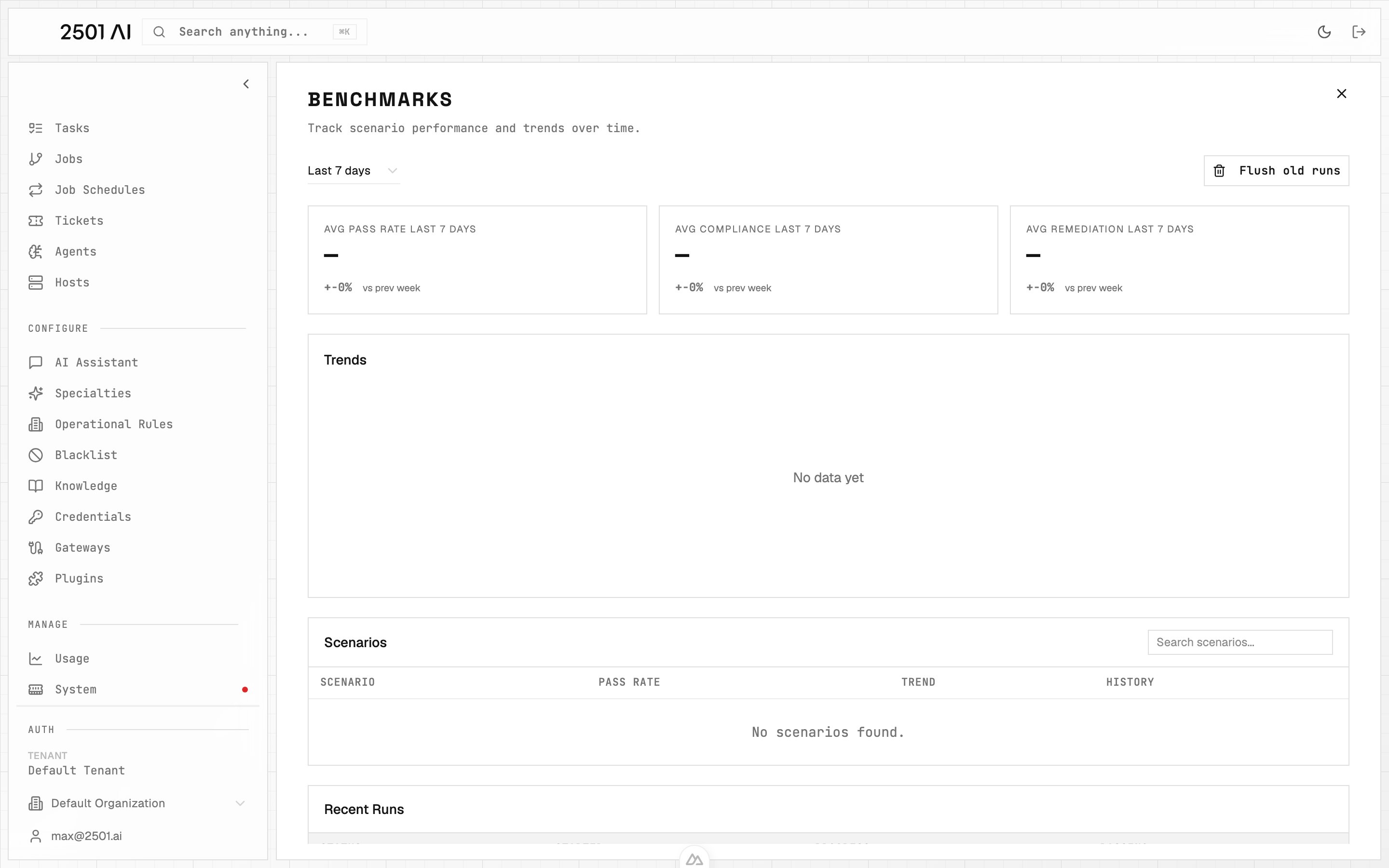
Go to **Command Center → Benchmarks**:
| Page | What it shows |
| - | - |
| **Benchmarks** | The dashboard: every benchmark run, its pass rate, compliance, and trend over time |
| **A benchmark run** | The scenarios in that run, each with its own status, plus a **Stop** for the whole run |
| **A scenario's page** | The scenario's definition and its run history |
| **A scenario run** | One scenario's result: pass/fail per validation rule, compliance score, and restore outcome |
## Creating a scenario
Click **New Scenario** (or open an existing one to edit) to get a form organized into sections:
| Section | Fields |
| - | - |
| **Definition** | Title, description, ticket title, ticket body |
| **Evaluated Agents** | Which agents run the scenario (their host and specialty are shown alongside each one) |
| **Variables** | Name/value pairs, referenced in steps as `${name}` |
| **Target Setup** | The steps that introduce the failure - see below |
| **Validation** | The rules that grade the run - see [Validation, Command Center scenarios](/0.16/benchmark/validation#command-center-scenarios) |
| **Target Restore** | The steps that reset the host afterward |
A scenario has a **status** - `draft`, `published`, or `disabled`. Only a disabled scenario is refused when you try to run it. Titles must be unique within the organization.
Every section holding structured data (steps, validation rules) has a **Form / JSON** toggle: edit through fields, or drop into raw JSON for anything the form doesn't expose.
## Setup and restore steps
Target Setup and Target Restore are both lists of plain-shell steps, grouped by host. Each step is either:
* **A command** - a shell command, run as written (for example `sudo systemctl stop nginx`).
* **A write** - a file path, its full content, and an optional **Write with sudo** checkbox. A write replaces the file's complete content; it does not append or patch.
Steps run in order, on the host they name (or the scenario's first host if none is given), and the first failing step stops the rest of that phase. Reference a credential from a command or a write's content with `${secret:name}`; the value is exported as an environment variable and never inlined into the step itself.
## Running a scenario
From a scenario's page:
* **Run Now** opens a dialog to pick one or more scenarios and optional overrides (main/secondary engine, gateway), then starts a benchmark and takes you to its run page.
* **Break** and **Restore** run just the Target Setup or Target Restore steps on their own, with live per-step status and output - useful for testing the steps themselves without waiting on a full graded run.
A benchmark run page shows each scenario's status (`queued`, `running`, `completed`, `failed`, `cancelled`) and a **Stop** that cancels the whole run.
## Reviewing a run
A scenario's run page shows the pass/fail result for each validation rule, the compliance score, and - when the scenario declares restore steps - whether the host was left clean. The scenario's own page keeps its full run history, and the Benchmarks dashboard charts every run's pass rate and compliance over time.
## If a run is interrupted
A benchmark's status answers whether it ran, not how its scenarios scored. If something interrupts a run partway through, the scenario caught mid-run resolves to a clean `failed` (or `cancelled`, if you had already hit Stop) instead of hanging, and the rest of the scenarios in the benchmark keep running and report their own verdicts as usual.
This documentation is built and hosted on [Mintlify](https://mintlify.com), a developer documentation platform.
## Where it lives
Go to **Command Center → Benchmarks**:
| Page | What it shows |
| - | - |
| **Benchmarks** | The dashboard: every benchmark run, its pass rate, compliance, and trend over time |
| **A benchmark run** | The scenarios in that run, each with its own status, plus a **Stop** for the whole run |
| **A scenario's page** | The scenario's definition and its run history |
| **A scenario run** | One scenario's result: pass/fail per validation rule, compliance score, and restore outcome |
## Creating a scenario
Click **New Scenario** (or open an existing one to edit) to get a form organized into sections:
| Section | Fields |
| - | - |
| **Definition** | Title, description, ticket title, ticket body |
| **Evaluated Agents** | Which agents run the scenario (their host and specialty are shown alongside each one) |
| **Variables** | Name/value pairs, referenced in steps as `${name}` |
| **Target Setup** | The steps that introduce the failure - see below |
| **Validation** | The rules that grade the run - see [Validation, Command Center scenarios](/0.16/benchmark/validation#command-center-scenarios) |
| **Target Restore** | The steps that reset the host afterward |
A scenario has a **status** - `draft`, `published`, or `disabled`. Only a disabled scenario is refused when you try to run it. Titles must be unique within the organization.
Every section holding structured data (steps, validation rules) has a **Form / JSON** toggle: edit through fields, or drop into raw JSON for anything the form doesn't expose.
## Setup and restore steps
Target Setup and Target Restore are both lists of plain-shell steps, grouped by host. Each step is either:
* **A command** - a shell command, run as written (for example `sudo systemctl stop nginx`).
* **A write** - a file path, its full content, and an optional **Write with sudo** checkbox. A write replaces the file's complete content; it does not append or patch.
Steps run in order, on the host they name (or the scenario's first host if none is given), and the first failing step stops the rest of that phase. Reference a credential from a command or a write's content with `${secret:name}`; the value is exported as an environment variable and never inlined into the step itself.
## Running a scenario
From a scenario's page:
* **Run Now** opens a dialog to pick one or more scenarios and optional overrides (main/secondary engine, gateway), then starts a benchmark and takes you to its run page.
* **Break** and **Restore** run just the Target Setup or Target Restore steps on their own, with live per-step status and output - useful for testing the steps themselves without waiting on a full graded run.
A benchmark run page shows each scenario's status (`queued`, `running`, `completed`, `failed`, `cancelled`) and a **Stop** that cancels the whole run.
## Reviewing a run
A scenario's run page shows the pass/fail result for each validation rule, the compliance score, and - when the scenario declares restore steps - whether the host was left clean. The scenario's own page keeps its full run history, and the Benchmarks dashboard charts every run's pass rate and compliance over time.
## If a run is interrupted
A benchmark's status answers whether it ran, not how its scenarios scored. If something interrupts a run partway through, the scenario caught mid-run resolves to a clean `failed` (or `cancelled`, if you had already hit Stop) instead of hanging, and the rest of the scenarios in the benchmark keep running and report their own verdicts as usual.
This documentation is built and hosted on [Mintlify](https://mintlify.com), a developer documentation platform.