> ## Documentation Index
> Fetch the complete documentation index at: https://docs.2501.ai/llms.txt
> Use this file to discover all available pages before exploring further.
# Blacklist
> Prevent agents from executing specific commands
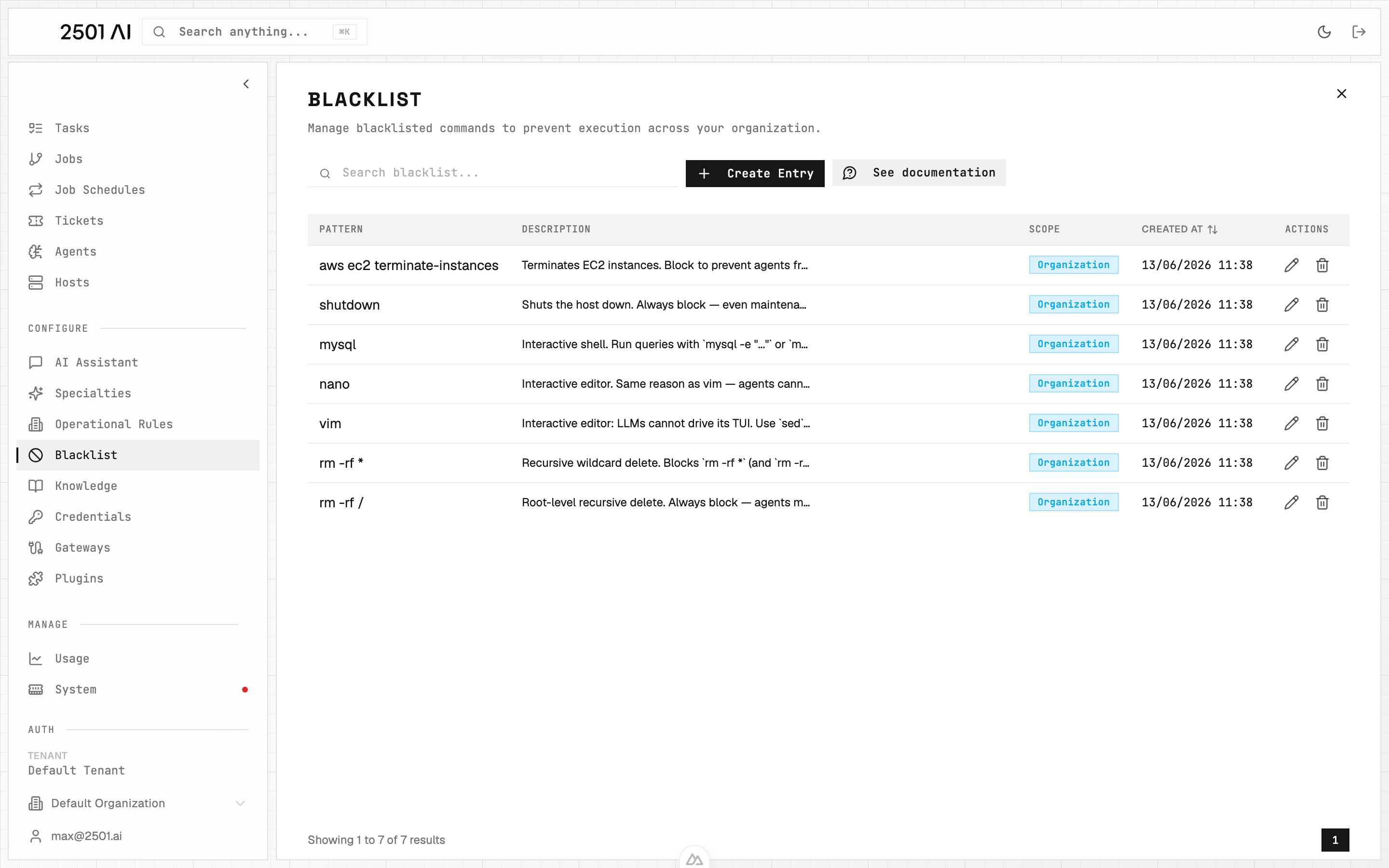
The Blacklist feature blocks agents from executing certain commands during task execution. This is useful for preventing problematic operations like calling unstable endpoints, using uninstalled tools, or running destructive commands.
When an agent tries to execute a blacklisted command, 2501 checks it against your defined patterns and rejects it if there's a match, prompting the agent to find another approach.
## Managing Blacklists
Go to **Command Center** → **Blacklist** and click **Create Entry** to add a new entry.
 ### Pattern
The string or glob pattern that defines which commands to block. Patterns match commands that **contain** the text anywhere, not just exact matches. Glob wildcards are also supported:
* `*` matches any sequence of characters
* `?` matches a single character
Example: `rm -rf *` blocks any `rm -rf` command regardless of the target path. `vim` blocks any command containing the word `vim`.
The Command Center shows a **live preview** of matching and non-matching commands as you type, so you can verify a pattern before saving it. A collapsible **syntax reference** is available inline in the create and edit dialogs.
### Description
Explains why the command is blocked.
Example: `Vim is interactive and can't be operated by LLMs`
### Organization
By default, a blacklist is scoped to your current organization and applies only to that org's agents. Toggle the scope checkbox to **Scoped to Tenant** to make the blacklist available to all organizations in the tenant.
## Common Use Cases
**Destructive Operations**
Block high-risk commands for additional safety:
* `rm -rf /`
* `awscli terminate-instances`
* `sudo shutdown`
**Interactive Tools**
Agents can't interact with prompts or shells:
* `redis-cli`
* `vim`, `nano`, `vi`
* `mysql`, `psql`
* `python`
**Missing or Unstable Tools**
Block commands for tools that aren't installed, have known issues, or are deprecated.
## Best Practices
Document why each command is blocked. Review your blacklist regularly as your infrastructure changes.
For enforcing preferred alternatives instead of just blocking, see [Operational Rules](/0.7/configure/operational-rules).
### Pattern
The string or glob pattern that defines which commands to block. Patterns match commands that **contain** the text anywhere, not just exact matches. Glob wildcards are also supported:
* `*` matches any sequence of characters
* `?` matches a single character
Example: `rm -rf *` blocks any `rm -rf` command regardless of the target path. `vim` blocks any command containing the word `vim`.
The Command Center shows a **live preview** of matching and non-matching commands as you type, so you can verify a pattern before saving it. A collapsible **syntax reference** is available inline in the create and edit dialogs.
### Description
Explains why the command is blocked.
Example: `Vim is interactive and can't be operated by LLMs`
### Organization
By default, a blacklist is scoped to your current organization and applies only to that org's agents. Toggle the scope checkbox to **Scoped to Tenant** to make the blacklist available to all organizations in the tenant.
## Common Use Cases
**Destructive Operations**
Block high-risk commands for additional safety:
* `rm -rf /`
* `awscli terminate-instances`
* `sudo shutdown`
**Interactive Tools**
Agents can't interact with prompts or shells:
* `redis-cli`
* `vim`, `nano`, `vi`
* `mysql`, `psql`
* `python`
**Missing or Unstable Tools**
Block commands for tools that aren't installed, have known issues, or are deprecated.
## Best Practices
Document why each command is blocked. Review your blacklist regularly as your infrastructure changes.
For enforcing preferred alternatives instead of just blocking, see [Operational Rules](/0.7/configure/operational-rules).