> ## Documentation Index
> Fetch the complete documentation index at: https://docs.2501.ai/llms.txt
> Use this file to discover all available pages before exploring further.
# Operational Rules
> Tag-matched guardrails that apply to the right tasks, not every agent
Operational Rules are directives that guide how agents execute tasks. In 0.7, rules are a tag-matched knowledge store: instead of injecting every rule into every agent, 2501 matches rules to each task based on what the task does and which host it targets. This keeps rules relevant, avoids noise, and lets you scope a guardrail precisely.
**Example:** A rule like "Always restart a service after editing its configuration" can be scoped so it only surfaces on tasks that touch a Linux web server and involve a restart action, rather than appearing for every agent in the organization.
Rules are matched using tags. The same tag vocabulary that classifies your machines drives this matching, so it helps to tag hosts well. See [Hosts](/0.7/core-concepts/hosts) for how host tags work.
## How matching works
Each rule carries tags that decide which tasks it applies to. When a task runs, 2501 compares the rule's tags against two things: the target host's tags, and tags inferred from the task description. Tags fall into two roles:
* **Scope tags** (Technologies, OS, Type, Shell, and application tags) describe *which hosts* a rule covers.
* **Procedure tags** describe *which action* a rule covers (for example restart, deploy, backup).
### Scope: which hosts a rule covers
A rule's scope tags must **all** be satisfied by the target host's tags together with tags inferred from the task. Scope tags are restrictive: adding more of them narrows a rule to fewer hosts, and never widens its reach.
* A rule with **no scope tags** applies broadly across the organization.
* A rule tagged `os:linux` applies only to Linux hosts.
* A rule tagged `os:linux` **and** `tech:nginx` applies only to Linux hosts that run nginx.
### Procedure: which action a rule covers
A rule's Procedure tags are matched against the action 2501 infers from the task description.
* A rule with **no procedure tag** is treated as an always-on guardrail. It applies whenever its scope matches, regardless of the action.
* A rule with **one or more procedure tags** applies when the task's action matches **any** of them. A rule tagged with both `restart` and `deploy` now matches restart tasks *and* deploy tasks (earlier releases only matched one).
### Rules surface up front
For remediation tasks, the organization's relevant rules and procedures are surfaced at the **start** of the task, ranked by relevance to the task description. The agent has the applicable guardrails in hand from the beginning rather than only when its intent happens to match exactly.
## Tag axes
Tags come from a controlled vocabulary organized by axis. You pick values from the in-product picker when creating or editing a rule; free-text values are rejected. The picker always shows the complete, current list for each axis.
| Axis | What it describes | Examples |
| ---------------- | ------------------------------------------- | ---------------------------------- |
| **OS** | The operating system of the host | `os:linux`, `os:windows` |
| **Shell** | The shell family the agent uses on the host | `shell:posix`, `shell:non-posix` |
| **Type** | What a host is *for* | `type:database`, `type:hypervisor` |
| **Technologies** | What a host *runs* | `tech:nginx`, `tech:aws` |
| **Procedures** | The action or verb the rule governs | `restart`, `deploy`, `backup` |
The **OS**, **Shell**, **Type**, and **Technologies** axes are scope tags. **Procedures** is the action axis.
### Application tags
Application tags are the one exception to the controlled vocabulary. They take the form `app:` (for example `app:billing-api`), are per-organization, and scope a rule to a specific business application so it only applies to the hosts that run a particular internal app.
### New tags in 0.7
This release adds new values to the Type and Technologies axes:
* **New Type tags:** `type:hypervisor`, `type:control-plane`, `type:generic-storage`, `type:iot`, `type:vault`
* **New Technology tags:** `tech:aws`, `tech:gcp`, `tech:azure`, `tech:proxmox`, `tech:podman`, `tech:rabbitmq`, `tech:hashicorp-vault`
The Vault technology tag was renamed from `tech:vault` to `tech:hashicorp-vault`. Existing hosts and rules that used the old value are migrated automatically and keep matching, so you do not need to retag anything.
## Managing Operational Rules
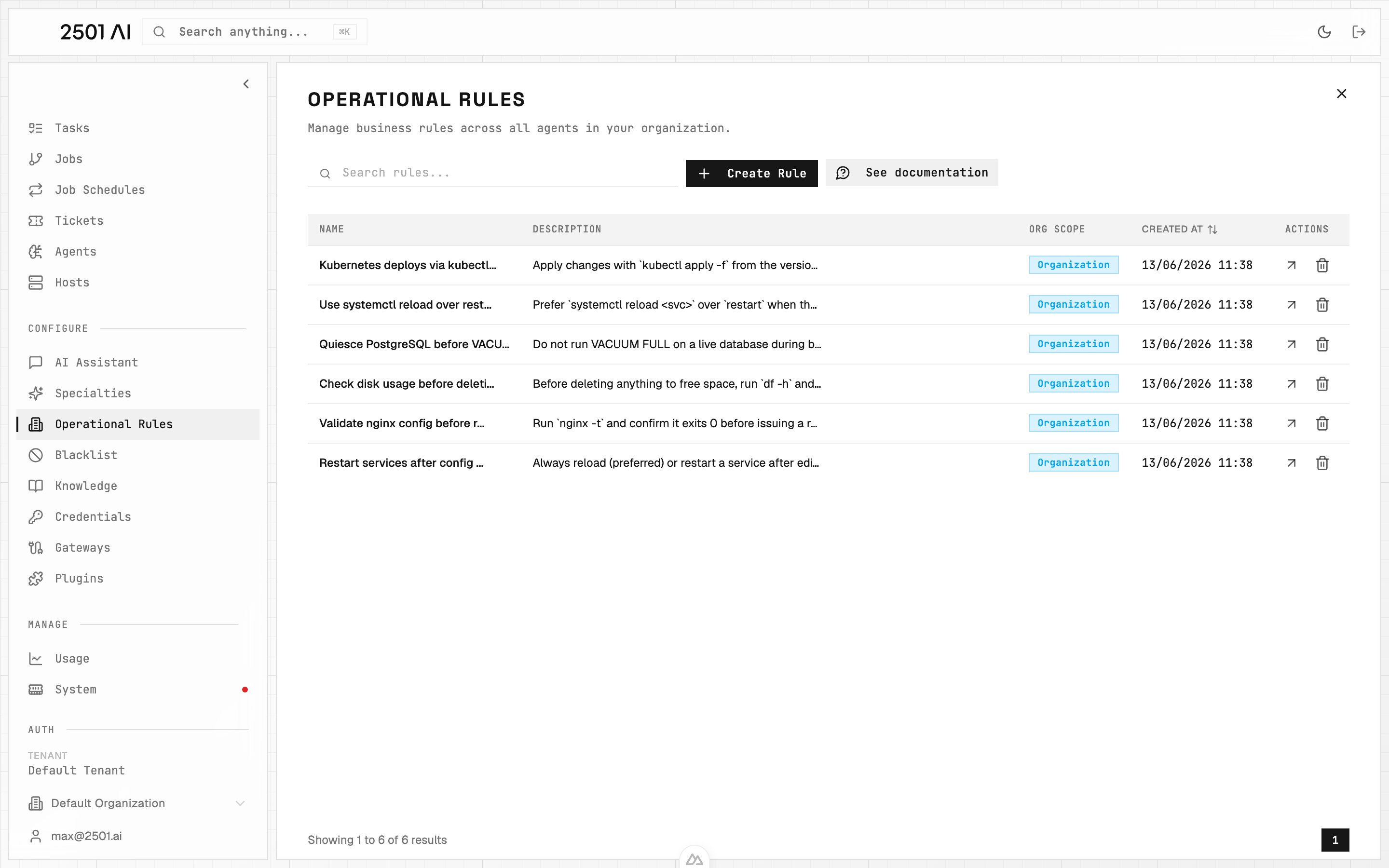
Go to **Command Center** → **Operational Rules** and click **Create Rule** to add a new entry. Open a rule from the list to edit it, or use the delete action on its row to remove it.
 ### Name
A clear identifier for the rule.
Example: `Restart services after config changes`
### Description
The directive itself, the guidance an agent should follow when the rule applies.
Write rules that are concise, specific, and focused on a single operational concern.
Overly strict or conflicting rules can prevent agents from completing tasks. Test new rules carefully before rolling them out broadly.
Example: `Always restart processes after updating their configuration files`
### Tags
Pick the rule's scope tags (OS, Shell, Type, Technologies) and its Procedure tags from the picker. Leave scope tags empty for an organization-wide guardrail; add them to narrow the rule to a subset of hosts. Leave the Procedure empty for an always-on rule, or set one or more procedures to limit the rule to matching actions.
### Organization
By default, a rule is scoped to the current organization. Switch it to **Scoped to Tenant** to make the rule available to all organizations. An untagged, tenant-wide rule behaves like the always-applied rules from earlier releases.
## Inspecting matches
Each task's detail page shows a **matching trace**: which operational rules were applied to the task and which were skipped, with the reason for each skip (for example, an intent mismatch where the task's action did not match the rule's procedure). Use this to confirm a rule is reaching the tasks you expect and to debug rules that are too broad or too narrow.
## Best practices
Be specific with tags. Scope each rule to the technologies, type, OS, shell, and procedures it actually applies to, so it surfaces only for the relevant hosts and actions. A rule left broad (few or no scope tags) applies everywhere it can match, which adds noise and risks an irrelevant rule getting in the agent's way.
Tag your hosts consistently. Matching depends on host tags plus tags inferred from the task description, so good host tagging directly improves which rules surface. See [Hosts](/0.7/core-concepts/hosts).
Keep rules outcome-focused rather than command-specific where you can, and review rule effectiveness regularly using the matching trace.
Use [Blacklist](/0.7/configure/blacklist) to hard-block prohibited commands, and Operational Rules to guide behavior. Combine with [Specialties](/0.7/configure/specialties) for domain workflows that do not need tag-scoped enforcement.
### Name
A clear identifier for the rule.
Example: `Restart services after config changes`
### Description
The directive itself, the guidance an agent should follow when the rule applies.
Write rules that are concise, specific, and focused on a single operational concern.
Overly strict or conflicting rules can prevent agents from completing tasks. Test new rules carefully before rolling them out broadly.
Example: `Always restart processes after updating their configuration files`
### Tags
Pick the rule's scope tags (OS, Shell, Type, Technologies) and its Procedure tags from the picker. Leave scope tags empty for an organization-wide guardrail; add them to narrow the rule to a subset of hosts. Leave the Procedure empty for an always-on rule, or set one or more procedures to limit the rule to matching actions.
### Organization
By default, a rule is scoped to the current organization. Switch it to **Scoped to Tenant** to make the rule available to all organizations. An untagged, tenant-wide rule behaves like the always-applied rules from earlier releases.
## Inspecting matches
Each task's detail page shows a **matching trace**: which operational rules were applied to the task and which were skipped, with the reason for each skip (for example, an intent mismatch where the task's action did not match the rule's procedure). Use this to confirm a rule is reaching the tasks you expect and to debug rules that are too broad or too narrow.
## Best practices
Be specific with tags. Scope each rule to the technologies, type, OS, shell, and procedures it actually applies to, so it surfaces only for the relevant hosts and actions. A rule left broad (few or no scope tags) applies everywhere it can match, which adds noise and risks an irrelevant rule getting in the agent's way.
Tag your hosts consistently. Matching depends on host tags plus tags inferred from the task description, so good host tagging directly improves which rules surface. See [Hosts](/0.7/core-concepts/hosts).
Keep rules outcome-focused rather than command-specific where you can, and review rule effectiveness regularly using the matching trace.
Use [Blacklist](/0.7/configure/blacklist) to hard-block prohibited commands, and Operational Rules to guide behavior. Combine with [Specialties](/0.7/configure/specialties) for domain workflows that do not need tag-scoped enforcement.