> ## Documentation Index
> Fetch the complete documentation index at: https://docs.2501.ai/llms.txt
> Use this file to discover all available pages before exploring further.
# Command Center
> The web UI for managing your 2501 installation
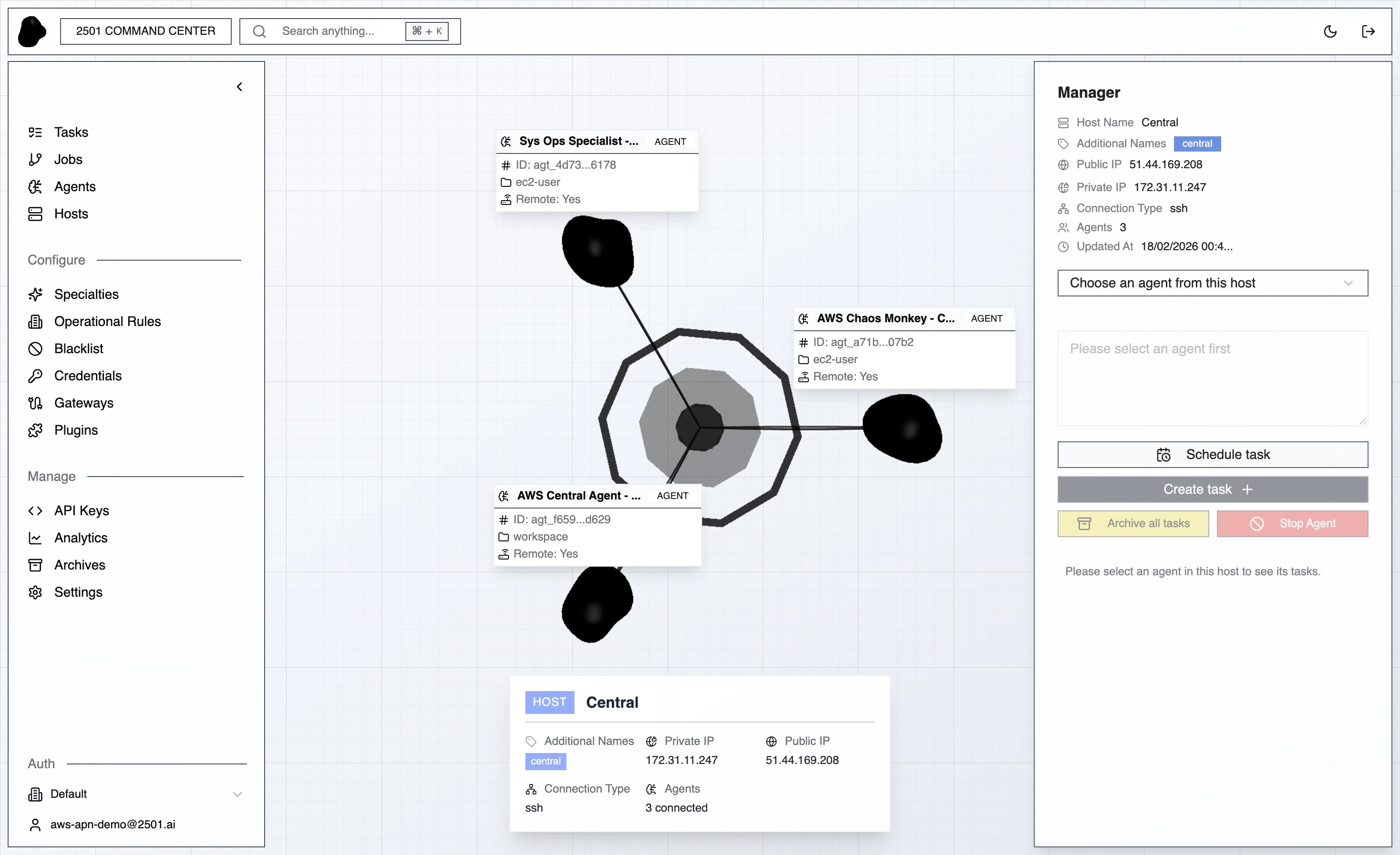
Command Center is where you operate 2501 with a UI: configure hosts, agents, gateways, rules, knowledge, and models; monitor jobs and tasks as they run; track usage and benchmarks. Everything except the deployment itself is managed here.
 ## Sidebar map
The sidebar groups pages by purpose. Each item below links to the concept page for the full reference.
| Group | Pages | What you do here |
| -------------- | ----------------------------------------------------------------------------------------------------------------------------------------------------------------------------------------------------------------------------------------------------------------------------------------------------- | --------------------------------------------------------------------- |
| **Operations** | [Tasks](/0.8/core-concepts/tasks), [Jobs](/0.8/core-concepts/jobs), [Job Schedules](/0.8/core-concepts/job-schedules), [Tickets](/0.8/core-concepts/tickets) | Watch agent work in real time and audit past runs |
| **Inventory** | [Agents](/0.8/core-concepts/agents), [Hosts](/0.8/core-concepts/hosts) | Register the machines you operate and the agents bound to them |
| **Configure** | [Specialties](/0.8/configure/specialties), [Operational Rules](/0.8/configure/operational-rules), [Blacklist](/0.8/configure/blacklist), [Knowledge](/0.8/configure/knowledge), [Credentials](/0.8/configure/credentials), [Gateways](/0.8/core-concepts/gateways), [Plugins](/0.8/configure/plugins) | Shape agent behavior, ingest knowledge, manage secrets, route tickets |
| **Manage** | Usage, Benchmarks | Analytics, agent performance in sandbox |
| **Settings** | Tenant, Organizations, Users, Providers, Models, License | Tenant defaults, RBAC, model catalog, license |
| **Assistant** | AI Assistant | Chat your way through the platform |
## Tenant and organization
The sidebar footer shows the read-only **Tenant** name above the organization picker and your signed-in user. There is one tenant per on-prem install; the picker switches between [organizations](/0.8/core-concepts/organizations) within that tenant.
## AI Assistant
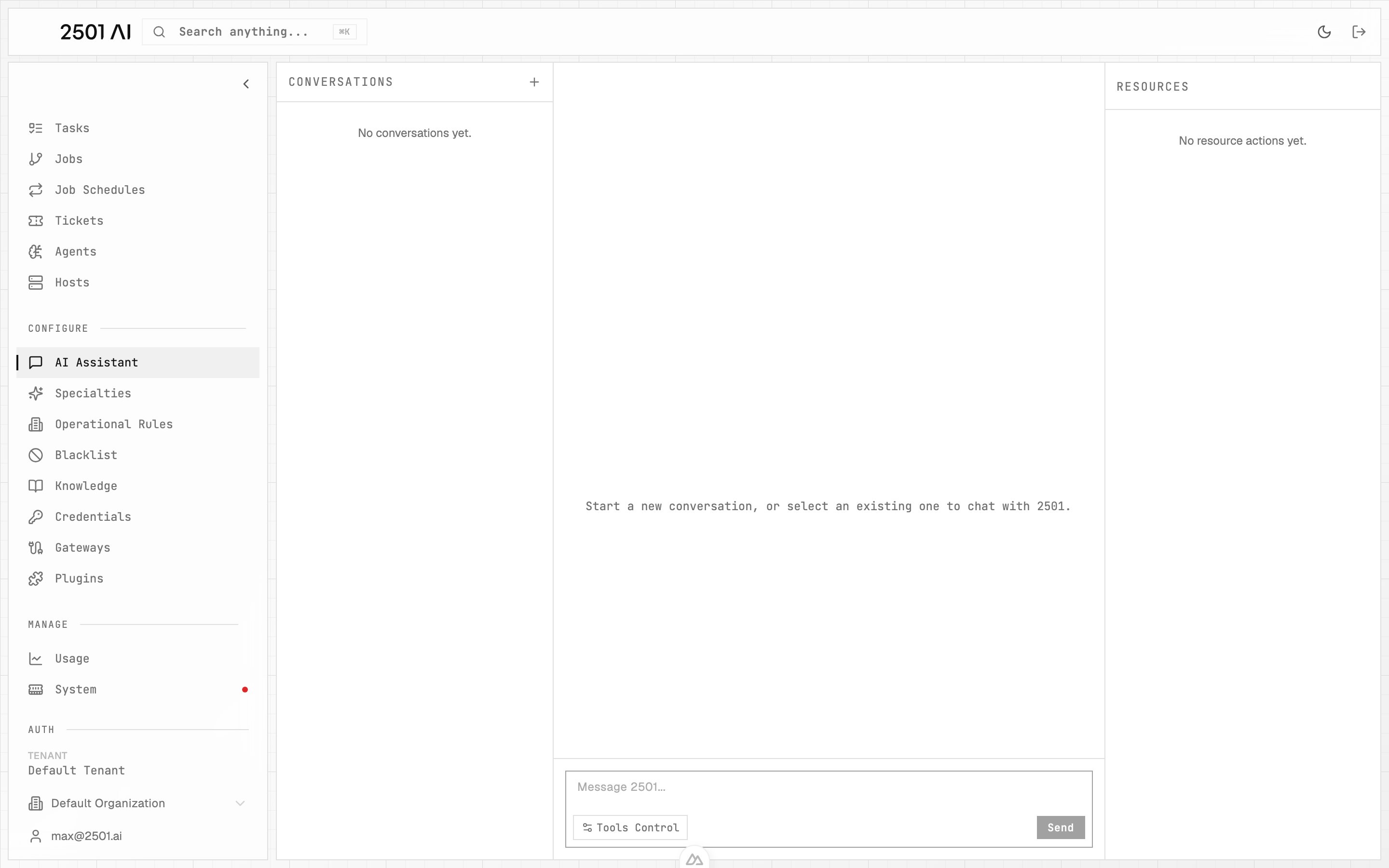
A chat interface for working with your platform in natural language. Open it from **AI Assistant** in the sidebar. It can look up tasks, jobs, tickets, hosts, agents, gateways, knowledge — and make changes such as adding an operational rule or a blacklisted command.
* **Reads run automatically.** Lookups happen without interruption.
* **Writes need approval.** When the assistant wants to create, update, or delete a resource, it pauses with approve / reject buttons. You can mark individual tools as auto-approve.
* **Scoped to your org.** Conversations belong to the organization you have selected.
* **Credential secret values are never shown** in assistant output.
Access follows your role — administrators and standard users can use it; auditors get read-only access.
## Sidebar map
The sidebar groups pages by purpose. Each item below links to the concept page for the full reference.
| Group | Pages | What you do here |
| -------------- | ----------------------------------------------------------------------------------------------------------------------------------------------------------------------------------------------------------------------------------------------------------------------------------------------------- | --------------------------------------------------------------------- |
| **Operations** | [Tasks](/0.8/core-concepts/tasks), [Jobs](/0.8/core-concepts/jobs), [Job Schedules](/0.8/core-concepts/job-schedules), [Tickets](/0.8/core-concepts/tickets) | Watch agent work in real time and audit past runs |
| **Inventory** | [Agents](/0.8/core-concepts/agents), [Hosts](/0.8/core-concepts/hosts) | Register the machines you operate and the agents bound to them |
| **Configure** | [Specialties](/0.8/configure/specialties), [Operational Rules](/0.8/configure/operational-rules), [Blacklist](/0.8/configure/blacklist), [Knowledge](/0.8/configure/knowledge), [Credentials](/0.8/configure/credentials), [Gateways](/0.8/core-concepts/gateways), [Plugins](/0.8/configure/plugins) | Shape agent behavior, ingest knowledge, manage secrets, route tickets |
| **Manage** | Usage, Benchmarks | Analytics, agent performance in sandbox |
| **Settings** | Tenant, Organizations, Users, Providers, Models, License | Tenant defaults, RBAC, model catalog, license |
| **Assistant** | AI Assistant | Chat your way through the platform |
## Tenant and organization
The sidebar footer shows the read-only **Tenant** name above the organization picker and your signed-in user. There is one tenant per on-prem install; the picker switches between [organizations](/0.8/core-concepts/organizations) within that tenant.
## AI Assistant
A chat interface for working with your platform in natural language. Open it from **AI Assistant** in the sidebar. It can look up tasks, jobs, tickets, hosts, agents, gateways, knowledge — and make changes such as adding an operational rule or a blacklisted command.
* **Reads run automatically.** Lookups happen without interruption.
* **Writes need approval.** When the assistant wants to create, update, or delete a resource, it pauses with approve / reject buttons. You can mark individual tools as auto-approve.
* **Scoped to your org.** Conversations belong to the organization you have selected.
* **Credential secret values are never shown** in assistant output.
Access follows your role — administrators and standard users can use it; auditors get read-only access.
 ## Analytics surfaces
Plan caps + LLM cost and token activity over time.
Pass rate, compliance, and trends from scenario runs.
Benchmarks are typically only present in a sandbox environment.
## Analytics surfaces
Plan caps + LLM cost and token activity over time.
Pass rate, compliance, and trends from scenario runs.
Benchmarks are typically only present in a sandbox environment.