

Infrastructure Map
The Command Center home screen is an interactive infrastructure map. Hosts, agents, and subnets appear as cards on a zoomable, pannable canvas, with connections drawn between hosts to show jump-host chains and network relationships at a glance.- Zoom out to see subnet groupings with health halos showing aggregate status. Zoom in to see individual host and agent cards with real-time status.
- Filter by status or search by name without leaving the map.
- Context menu on any card surfaces quick actions: create or edit a host or agent directly on the canvas, open a host’s job history, or start a new network scan.
- Side panel on the canvas shows the active Tasks and Jobs feed so you can watch work happen in real time without navigating away.
Sidebar map
The sidebar groups pages by purpose. Each item below links to the concept page for the full reference.Tenant and organization
The sidebar footer shows the read-only Tenant name above the organization picker and your signed-in user. There is one tenant per on-prem install; the picker switches between organizations within that tenant.AI Assistant
A chat interface for working with your platform in natural language. Open it from AI Assistant in the sidebar. It can look up tasks, jobs, tickets, hosts, agents, gateways, knowledge — and make changes such as adding an operational rule or a blacklisted command.- Reads run automatically. Lookups happen without interruption.
- Writes need approval. When the assistant wants to create, update, or delete a resource, it pauses with approve / reject buttons. You can mark individual tools as auto-approve.
- Scoped to your org. Conversations belong to the organization you have selected.
- Credential secret values are never shown in assistant output.
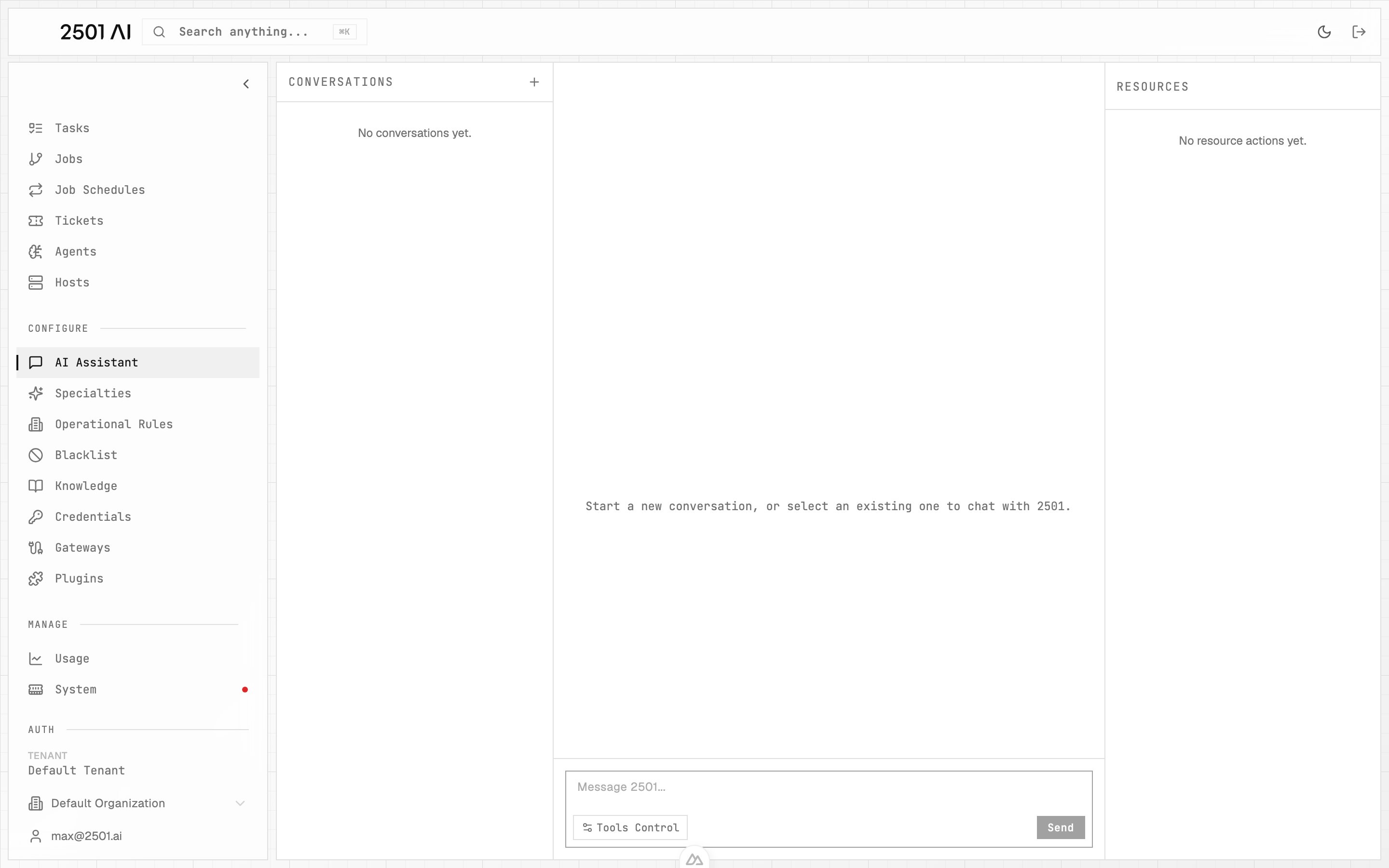
AI Assistant: conversations on the left, the active chat in the center, and resources the assistant touched on the right.
Analytics surfaces
Usage
Plan caps + LLM cost and token activity over time.
Benchmarks
Pass rate, compliance, and trends from scenario runs.