

What is an Agent?
A 2501 agent is an AI-powered operator capable of understanding context by analyzing tasks and interpreting system states, planning execution by breaking down complex operations into logical steps, taking action through commands and file modifications, adapting dynamically based on outputs and errors, and operating autonomously to complete multi-step tasks without constant intervention. Unlike traditional automation scripts, agents reason about their environment and make informed decisions rather than following rigid procedural logic.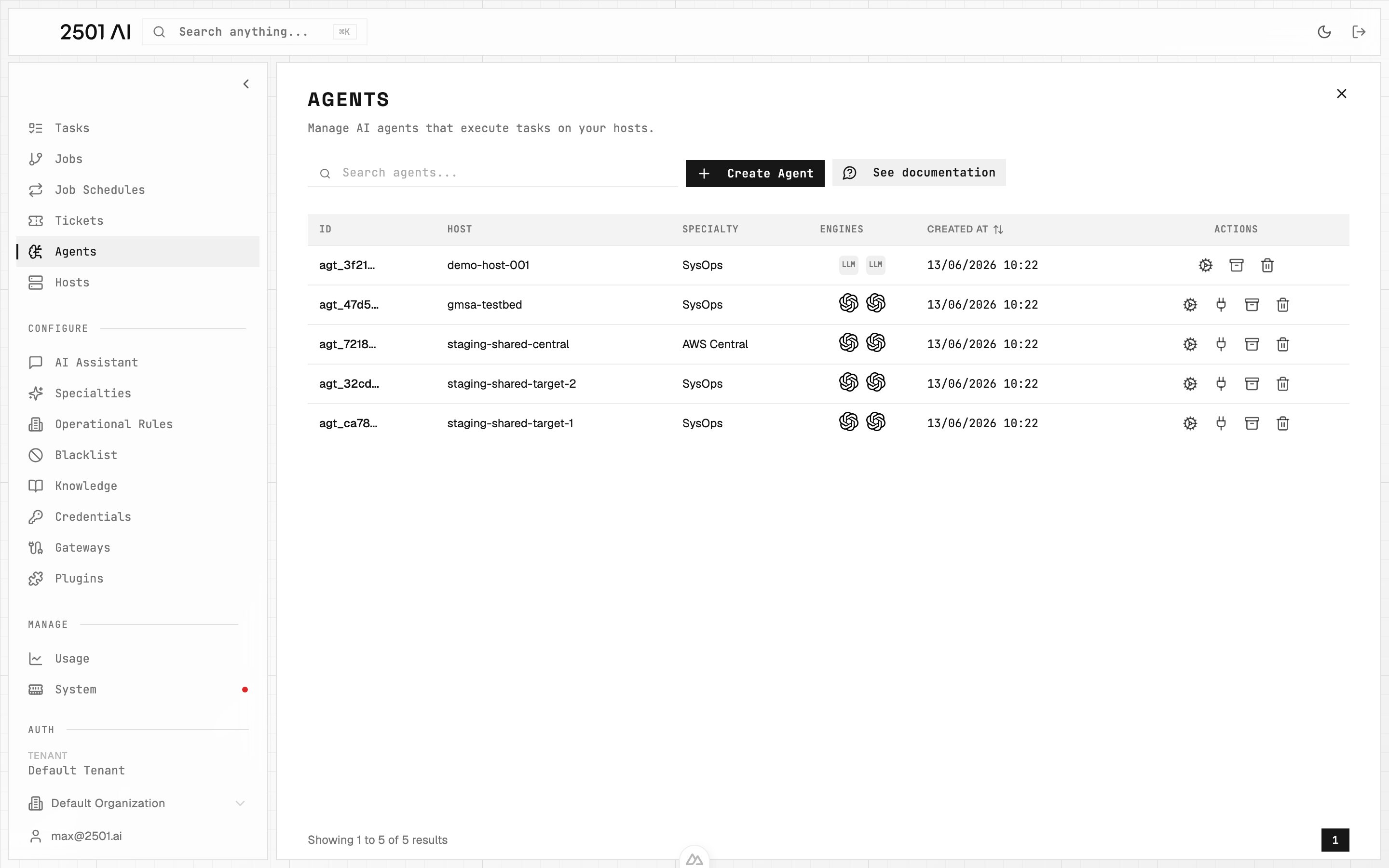
Agents list: each agent is bound to a host, runs a specialty, and uses a pair of engines (main + secondary).
Agent Architecture
Engine Pair
Every agent uses two LLMs in tandem:- Main Engine: Handles direct task execution, file manipulation, and command execution
- Secondary Engine: Checks the work - validating each proposed action against the host’s rules and the incident, and reviewing interactive commands
Specialty Configuration
Agents are assigned a Specialty that provides domain-specific guidance and workflows, ranging from general-purpose (SYSOPS) to highly specialized configurations like TERRAFORM_SPECIALIST or AWS_CLI_EXPERT.
Operational Constraints
Agents operate within boundaries defined by Operational Rules (organization-wide mandatory procedures), Blacklists (prohibited commands), and Credentials (secure access to systems).Credential Access Control
Each agent has an explicit credential allowlist - a list of credentials it may reference by name during task execution. Configure the list from the agent create or edit form. Only credentials on the allowlist are advertised to the agent; secret values are never exposed. Named credential placeholders in commands (e.g.{{secret:my-api-key}}) resolve only when the referenced credential appears on the agent’s allowlist. An empty allowlist means no named credentials are available to the agent.
Memory and Context
Agents maintain task history within their context window, allowing them to reference previous operations, build on prior work, and maintain continuity across related tasks. When context limits are approached, tasks can be archived to clear memory while preserving agent configuration.Execution Modes: Investigate vs Remediate
Agents support two execution modes that control what actions they can take:- Remediate (default): The agent diagnoses issues and applies fixes: commands, file changes, service restarts, etc.
- Investigate: Read-only analysis. The agent diagnoses and reports findings without making any changes to the target system.
The ticket tag sets the job mode, which propagates to individual tasks. If multiple tags appear (in the description and comments), the last one wins. Aliases like
@2501:investigation and @2501:remediation also work.
The specialty constraint is a ceiling: if a specialty is set to investigate_only, any agent using it will always run in read-only mode, even if the ticket is tagged @2501:remediate. When this happens, the resolution is flagged as partial rather than a failure. This lets you safely deploy large fleets of agents and selectively enable remediation by changing a single setting on the specialty.
Tickets and jobs running in Investigate mode show a visible Investigate badge in the Command Center.
Agent Lifecycle
Creation
Agents are created through the Command Center UI (full-featured) or CLI (streamlined for quick deployment). During creation, assign a host, select main and secondary engines, assign a specialty, assign plugins, and configure connection credentials.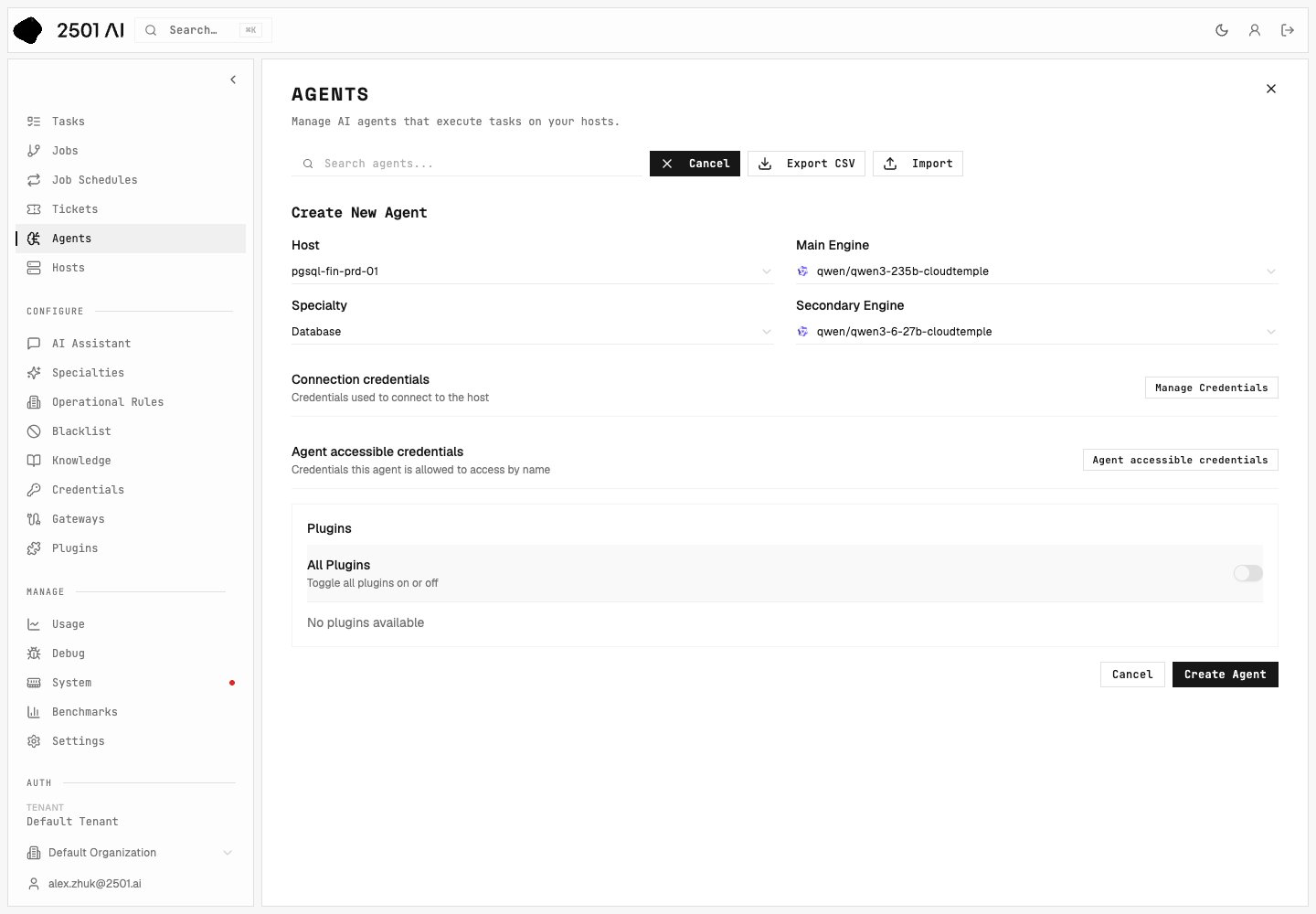
Configuration
After creation, agents can be modified to change engine assignments, update specialty configurations, add or remove credentials, and adjust operational constraints.Task Execution
Agents receive tasks through natural language instructions. The main engine gathers context, plans the approach, and works through it one action at a time; the secondary engine checks each proposed action before it runs. The agent adapts as it learns from output, verifies its own change before reporting it done, and reports completion or escalates issues.Memory Management
As agents work, their context window fills with task history. Manage memory by archiving completed tasks individually, clearing all memory for a fresh start, or selectively archiving unrelated tasks while preserving relevant context.Modification and Deletion
Agents can be edited or removed through the Command Center UI (full management) or CLI (limited management for active agents).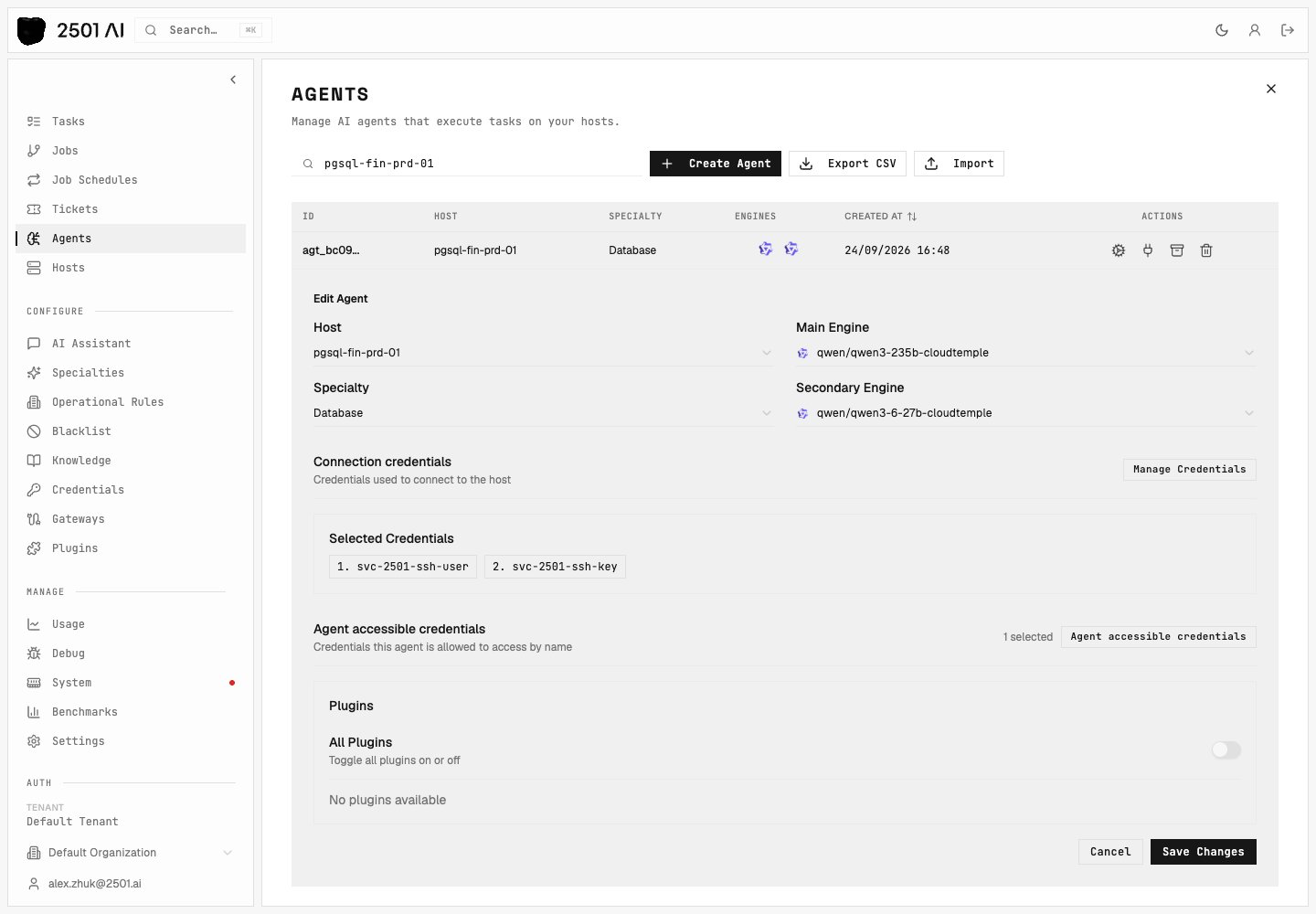
Agent Organization
Organization Scoping
Agents belong to specific organizations, with available specialties, operational rules, blacklisted commands, and accessible credentials. This scoping enables different teams or environments to maintain separate operational standards while sharing infrastructure.Agent Naming
Choose agent names that indicate purpose or responsibility (e.g.,aws-prod-manager, db-backup-agent), target environment (e.g., staging-deployer, prod-monitor), or specialty domain (e.g., terraform-provisioner, k8s-operator).