

Any user can view providers available to their organization. Tenant-level admins can add, edit, or delete providers in either scope. Organization admins can manage providers in their assigned organizations, but tenant-wide providers are read-only for them. See Users & Organizations.
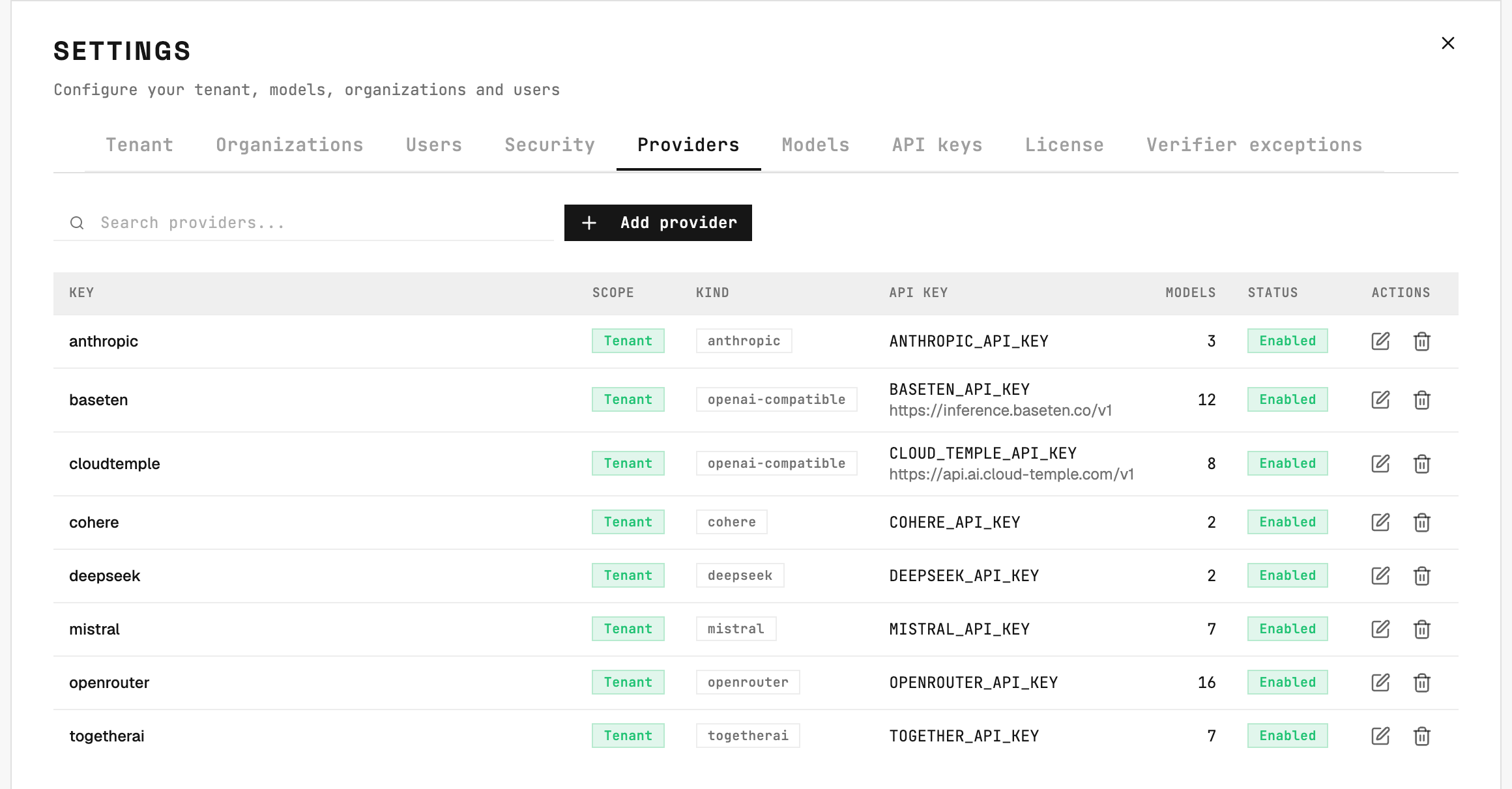
Settings → Providers: each row is an endpoint the engine can call.
Fields
Provider types
Use a compatible type to register a self-hosted model server (vLLM, Ollama, LM Studio) or any vendor exposing an OpenAI- or Anthropic-style API.
Adding a new endpoint of an existing type is pure configuration. Adding a brand-new type (a vendor with its own API shape) requires a 2501 release - contact your Account Executive.
API key resolution
A provider reads its API key from the Credential attached to it. Clicking API key opens a searchable list of credentials available in the provider’s scope. Choosing Scoped to Tenant narrows the list to tenant-scoped credentials. Select a result, or type a listed credential’s full name and press Enter; surrounding spaces are ignored. If credential search fails, use Retry - your saved selection stays unchanged. Rotating a key is editing that credential. Nothing on the engine changes, and the dialog checks the credential resolves before it saves.Providers created before credentials were attachable resolve their key by name instead: a credential of that name first, then - for the built-in provider keys only (
ANTHROPIC_API_KEY, OPENAI_API_KEY, OPENROUTER_API_KEY, MISTRAL_API_KEY, DEEPSEEK_API_KEY, COHERE_API_KEY, TOGETHER_API_KEY, CLOUD_TEMPLE_API_KEY, BASETEN_API_KEY) - an environment variable of that name on the engine. Any other name resolves through a credential or not at all. Re-pick the key in the dialog to attach it directly - the name reference and the environment variable fallback are going away.Providers that do not need a key (e.g. a self-hosted model on a private network) can turn off Requires auth.
Azure settings
For theazure type, two extra fields appear:
Azure API Management (APIM) gateways are supported as the endpoint: set the Base URL to your APIM gateway URL to route model traffic through it for centralized policy, rate limiting, and logging.
Deletion rule
A provider that still has models cannot be deleted. Remove or reassign its models first, or simply disable the provider instead.