

HTTP API requests
The same check applies to a request an HTTP API plugin sends: a pattern matches against its method, URL and body exactly as it would a shell command. The check screens the request as it is sent - the method, the full URL and the body, such asDELETE https://api.example.com/v1/zones/a - so a pattern such as DELETE or /zones/, which blocks the same request made with curl, blocks it too. Before matching, the blacklist reads the request the way the OWASP Core Rule Set does: it decodes the path, each query value, a form body and each string in a JSON body as a web server would, URL-decodes them once more, removes NUL characters, and normalizes the path by merging // and resolving ./ and ../. The API still receives the request as it was sent. Text encoded once more than that is not matched, and a rule matches letters in the case it is written.
A request the blacklist cannot check is let through only when it uses a safe method (GET, HEAD, OPTIONS); anything else is refused until the check can run. A path that leaves the API’s address, such as v1/../admin or one with an encoded / inside a segment, is always refused, whatever the blacklist lists; put such a value in the query or the body instead. The blacklist does not screen the tools of an MCP server.
Managing Blacklists
Go to Command Center → Blacklist and click Create Entry to add a new entry.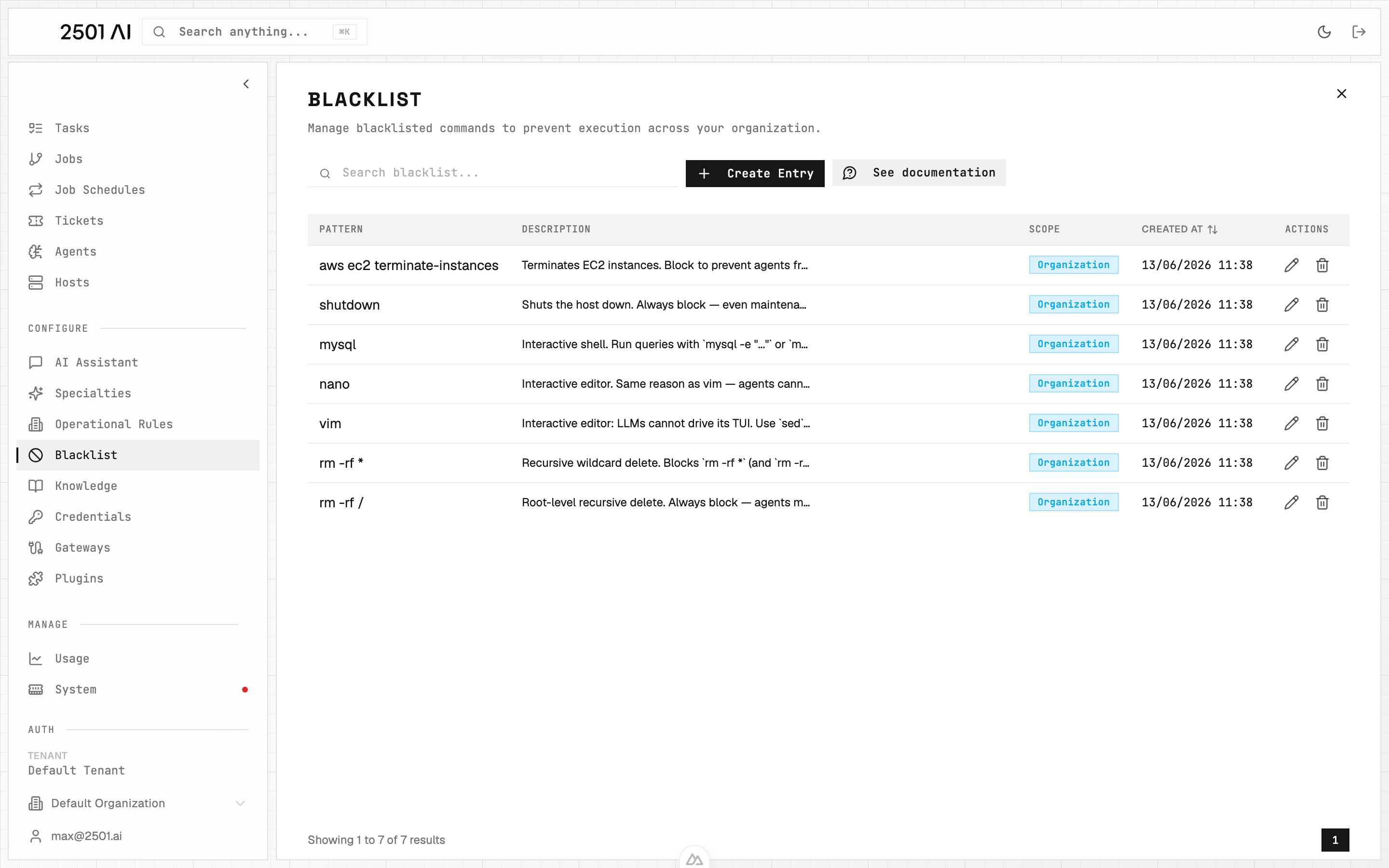
Blacklist: each entry is a pattern (string or glob) plus a description explaining why it's blocked.
Pattern
The string or glob pattern that defines which commands to block. Patterns match commands that contain the text anywhere, not just exact matches. Glob wildcards are also supported:*matches any sequence of characters?matches a single character
rm -rf * blocks any rm -rf command regardless of the target path. vim blocks any command containing the word vim.
The Command Center shows a live preview of matching and non-matching commands as you type, so you can verify a pattern before saving it. A collapsible syntax reference is available inline in the create and edit dialogs.
Description
Explains why the command is blocked. Example:Vim is interactive and can't be operated by LLMs
Scope
By default, a blacklist is scoped to your current organization and applies only to that org’s agents. Pick Scoped to Tenant in the Scope selector to make the blacklist available to all organizations in the tenant. Selecting the tenant scope requires tenant-level access; without it the selector stays on Scoped to Organization.Common Use Cases
Destructive Operations Block high-risk commands for additional safety:rm -rf /awscli terminate-instancessudo shutdown
redis-clivim,nano,vimysql,psqlpython