

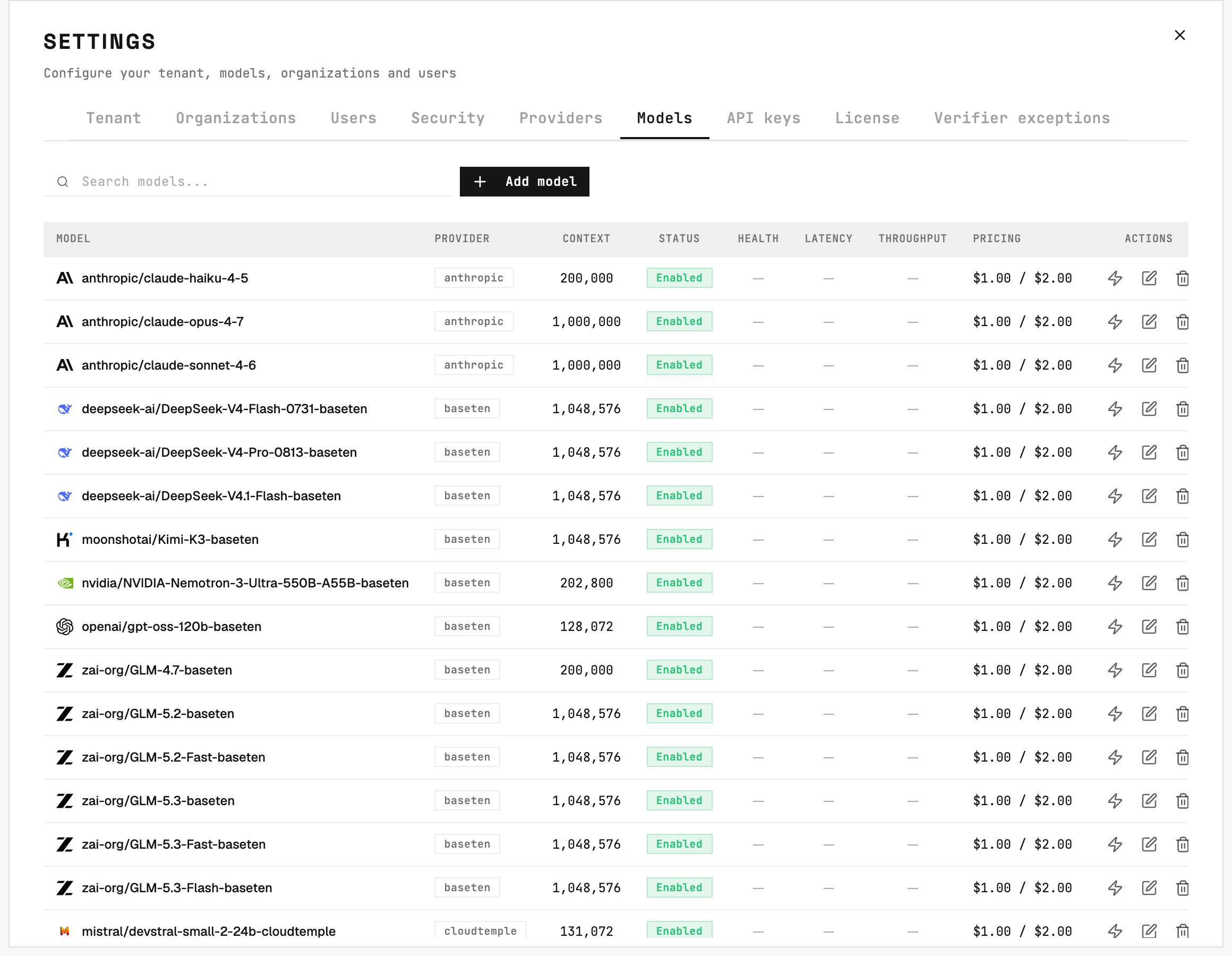
Settings → Models: every model an agent can select sits in this catalog, with context length, status, and pricing.
Fields
Advanced sampling parameters (temperature, top P, top K, presence/frequency penalty, max output tokens, seed, stop sequences) can be set per model. You can also record pricing plans per model and run an on-demand performance test that reports reachability, time to first token, and throughput.
Thinking effort
A thinking-effort level trades depth of reasoning against latency and cost:Tenant defaults
The tenant’s default Text LLM model and Multimodal model are chosen in Settings → Tenant from the catalog’s enabled models. Only image-capable models appear as Multimodal options. These defaults power gateway routing, the AI Assistant, knowledge ingestion, and any agent that doesn’t pick its own engines. See Engine & Agents for how agents combine main and secondary models, and where the tenant defaults are used.Deletion rule
A model assigned to any agent - main or secondary - cannot be deleted. Reassign those agents or disable the model instead.
Configuration
Create and edit models in Command Center > Settings > Models after configuring their provider. A new installation starts with the one model itsvalues.yaml names; add the others here. Adding or editing a model does not require an engine restart.