

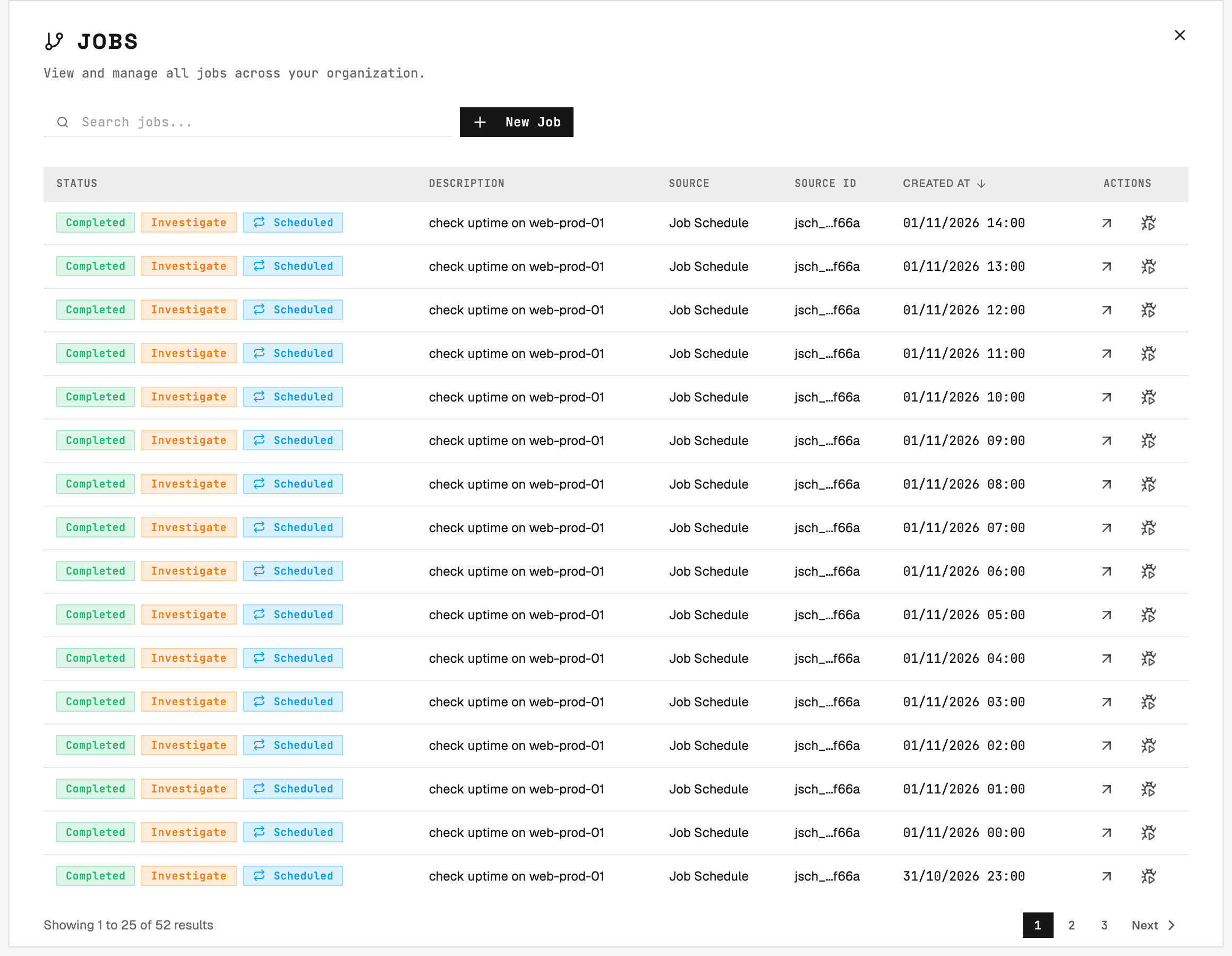
Jobs list: every job carries a status, its request, its source (the gateway and ticket number), and when it was created. Click a row to open the job.
Organization Scoping
Jobs are scoped to a specific organization. All tasks within a job belong to the same organization, and only agents within that organization can be assigned to the job’s tasks.Job Creation
Jobs are created by Gateways when integrated systems generate work requiring multi-agent coordination (e.g., one agent provisions infrastructure, another deploys applications), host fleet operations (e.g., rolling updates across multiple servers), or dependency chains (e.g., database migration must complete before application restart). You can also create a job yourself: on the Jobs page, click New Job and describe what you want done. By default, each agent uses its own execution mode. Select Plan to force Plan on all of them, or Auto when an Admin allows it, instead of Each agent’s mode. 2501 plans the work, picks the hosts and agents, and runs it like any other job. A job created this way has no ticket, so its tasks, its plan and its result are shown on the job page, and once it finishes you create a new job rather than reopening it. Auditors cannot create jobs. Recurring schedules also create jobs: each scheduled run spawns a fresh job that follows the normal lifecycle. See Job Schedules for how schedules are registered, paused, and managed.Job Orchestration
When a gateway creates a job, it decomposes the task by splitting complex work into individual tasks. Each task is assigned to the appropriate agent based on specialty alignment, host accessibility and credentials, and agent availability and workload. Tasks execute according to dependencies, where sequential tasks wait for predecessors to complete while parallel tasks execute simultaneously where possible. Job status reflects aggregate task states.Multiple Hosts, One Job
A job runs on several hosts at once. It runs its tasks in turns: every task that is ready to start runs together, one per host, and the next turn starts once they have all ended. A patch across 20 hosts fits in a single turn. While the job runs, the gateway posts one ticket comment per turn. See Agentic Flow - The 20-task ceiling for how turns and the task limit work together. When a host fails, times out, or is stopped, work on the other hosts continues. When the job ends, each host is judged on its own last task: work the ticket needed that failed on that host fails the job, while a host no task reached yet makes the job partial rather than failed. From a task’s stop dialog or the AI Assistant, you choose to stop just that task - which drops its host from the job while the rest continues - or stop the whole job, which cancels every open task and fails the job. See Tasks - Task Management.Execution Mode
Each task of a job has the execution mode of its agent: an agent in Auto makes changes without approval, and an agent in Plan only reads. A job can also force one mode on all its agents:
On the job page, the Mode button shows the current mode of the job. Admins and Users click it to change the mode of a job that has not ended. The job uses the new mode from its next turn. When a job that waits for approval moves to Auto, its plan closes, and 2501 makes the changes without approval. The last change wins: a later comment without a mode command keeps the mode.
Every task counts toward the 20-task ceiling, and so does each step of an approved plan.
Plans
A job stops after its first turn that reads through an agent in Plan. When a change is still needed, it posts a plan with every change that is left, and waits with the status Waiting for approval. When no change is needed, it only answers, and ends as a success. A job with an agent in Plan also posts a plan when it finds no task to run first, for example when the ticket only asks for a change. That plan comes from the request alone. When such a job only answers, it ends with no action, and the ticket says why. A plan uses the request, task results, operational rules and the descriptions of the hosts that the job read or that the plan changes. It says what 2501 found, why it needs each change, and what it is not sure about. Each step is one change on one host through one agent, and steps with the same number run together. 2501 picks the agent of each step in the same order as for a task: first the routing rules of the gateway, then an agent that you name in a comment or on the job page, then the specialty that covers the change. 2501 runs each step as a new task, and never adds a change to a task that it already has. A host runs one task at a time, so two steps on the same host run one after the other. The plan also lists the changes that the job already made. 2501 posts each version of the plan in the ticket, and shows it on the job page. To answer a plan:- Approve it with
@2501:approve-planin the ticket, or Approve plan on the job page. Nothing else approves: “looks good, go ahead” is not an approval. - Ask for changes with a
@2501comment that says what to change, or Request changes on the job page. 2501 posts a new version. A question gets an answer, and the same version keeps waiting.