

Managing Blacklists
Go to Command Center → Blacklist and click Create Command to add a new entry.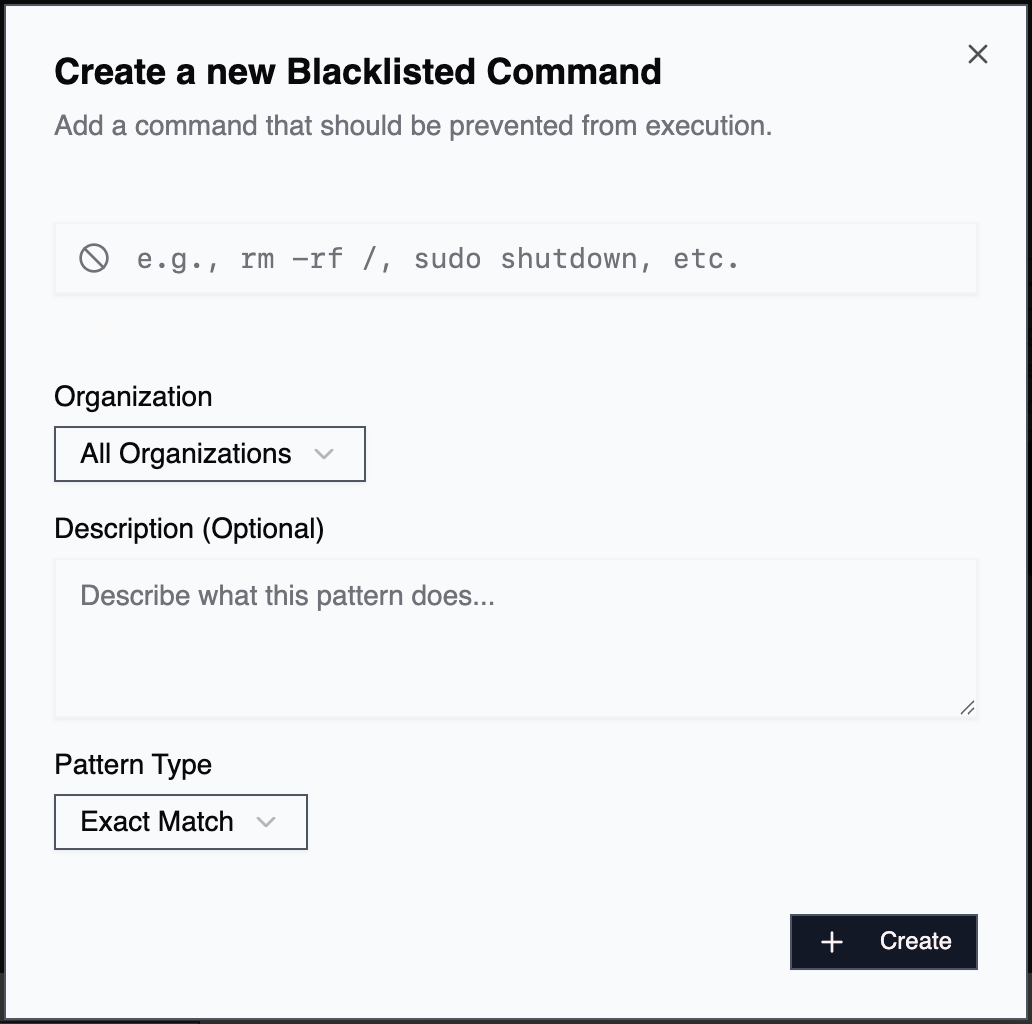
Pattern
The string or glob pattern that defines which commands to block. Patterns support glob wildcards:*matches any sequence of characters?matches a single character
rm -rf * blocks any rm -rf command regardless of the target path. vim blocks the Vim text editor.
The Command Center shows a live preview of matching and non-matching commands as you type, so you can verify a pattern before saving it. A collapsible syntax reference is available inline in the create and edit dialogs.
Description
Explains why the command is blocked. Example:Vim is interactive and can't be operated by LLMs
Organization
By default, blacklists apply to all organizations. Select a specific organization to restrict the blacklist to only that org’s agents.Common Use Cases
Destructive Operations Block high-risk commands for additional safety:rm -rf /awscli terminate-instancessudo shutdown
redis-cli(exact match) - Useredis-cli KEYS *style commands insteadvim,nano,vimysql,psqlpython(without arguments)