

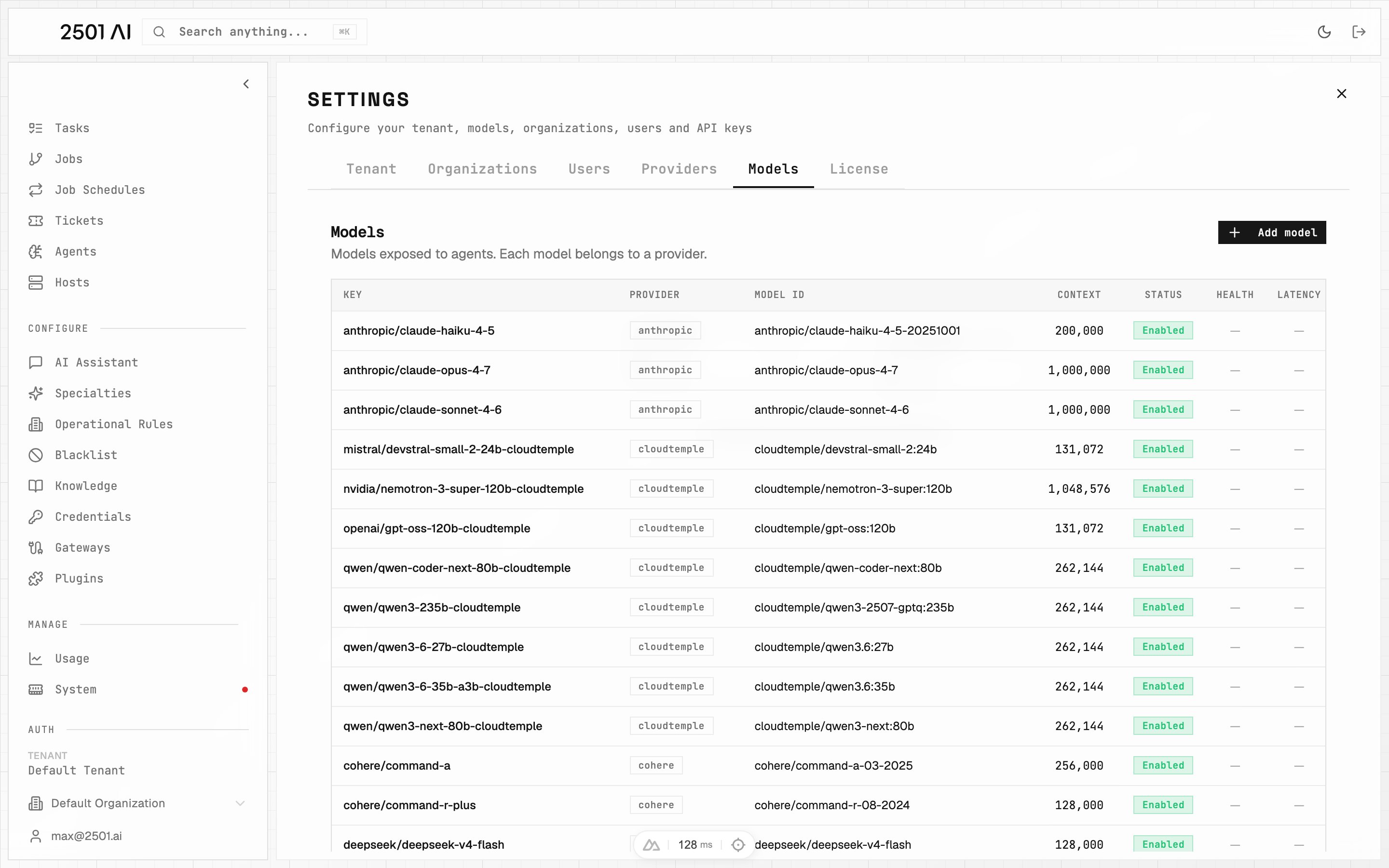
Viewing the catalog is open to any tenant user, but only users with tenant-level access can add, edit, or delete providers and models. See Users & Organizations.
Providers
Open Settings > Providers and click Add Provider.| Field | Required | Description |
|---|---|---|
| Key | Yes | Short identifier, unique within your tenant. Example: openai, cloudtemple |
| Provider type | Yes | The integration used to reach the provider — see Provider types |
| Base URL | Compatible & Azure types | Endpoint root, so you can point 2501 at any compatible endpoint. Required for OpenAI/Anthropic-compatible and Azure; leave empty for native types |
| API Key Var Name | When auth is required | The name 2501 resolves to find the secret — see API key resolution |
| Requires auth | — | On by default. Turn off for endpoints that need no key (for example a self-hosted model on a private network) |
| Enabled | — | Disabling a provider makes all of its models unavailable without deleting anything |
Provider types
| Family | Types | Notes |
|---|---|---|
| Native | openai, anthropic, mistral, deepseek, cohere, openrouter, togetherai | Built-in integrations. No endpoint URL needed. |
| Compatible | openai-compatible, anthropic-compatible, azure | Point at any API-compatible endpoint via a Base URL. |
Adding a new endpoint of an existing type is pure configuration. Adding a brand-new type (a vendor with its own API shape) requires a 2501 release—contact your Account Executive.
API key resolution
The API key is resolved at runtime in two steps:- First, 2501 looks for a tenant-scoped Credential with the matching name.
- If none exists, it falls back to an environment variable of the same name on the engine.
Providers that do not need a key, for example a self-hosted model on a private network, can turn off Requires auth.
Azure settings
For theazure type, two extra fields appear:
| Field | Default | Description |
|---|---|---|
| API Version | 2025-04-01-preview | The Azure OpenAI API version to target |
| API Mode | chat | Which API surface to call: chat, responses, or completion |
A provider that still has models cannot be deleted. Remove or reassign its models first, or simply disable the provider instead.
Models
Each model belongs to a provider. Open Settings > Models and click Add Model.| Field | Required | Description |
|---|---|---|
| Provider | Yes | The provider that serves this model |
| Model ID | Yes | Must match the model’s deployment name on the provider exactly—this is the identifier sent to the provider’s API, not a label you choose |
| Key | No | The display name shown in Command Center and referenced by agents when selecting an engine. Auto-derived from the Model ID if left blank. To rename a model, edit this field directly |
| Context length | Yes | Maximum tokens the model accepts. Drives the context-management guidance in Engines |
| Accepts image input | No | Enable for models that can read images. Image-capable models become selectable as the tenant’s Multimodal model (see Tenant defaults) |
| Enabled | No | Only enabled models appear as selectable engines. Disable a model to retire it without losing its configuration or history |
Thinking effort
A thinking-effort level trades depth of reasoning against latency and cost:| Level | Description |
|---|---|
| Off | No reasoning tokens—fastest, lowest cost |
| Minimal | Very light reasoning |
| Low | Basic reasoning pass |
| Medium | Balanced reasoning depth |
| High | Deep reasoning for complex tasks |
| xHigh | Maximum reasoning; highest cost |
A model assigned to any agent—as a main or secondary engine—cannot be deleted. Reassign those agents to other engines, or disable the model instead.

