

The Usage page, plan data, analytics, and the license banner are visible to administrators only.
Free tier (no license)
If no license has been applied, the tenant runs on a built-in free tier with capped resources:
The free tier applies only when there is no active license. Once you reach the cap on a dimension, creation in that dimension is rejected until a license is applied. An expired license is a hard block, not a free-tier fallback — apply a fresh license to keep going.
Applying a license
1
Open Settings > License
In Command Center, go to Settings > License.
2
Paste the signed token
Paste the signed token (a JWT) issued by 2501 into the license field.
3
Apply License
Click Apply License. The new license becomes active immediately, and the previously active license is archived.
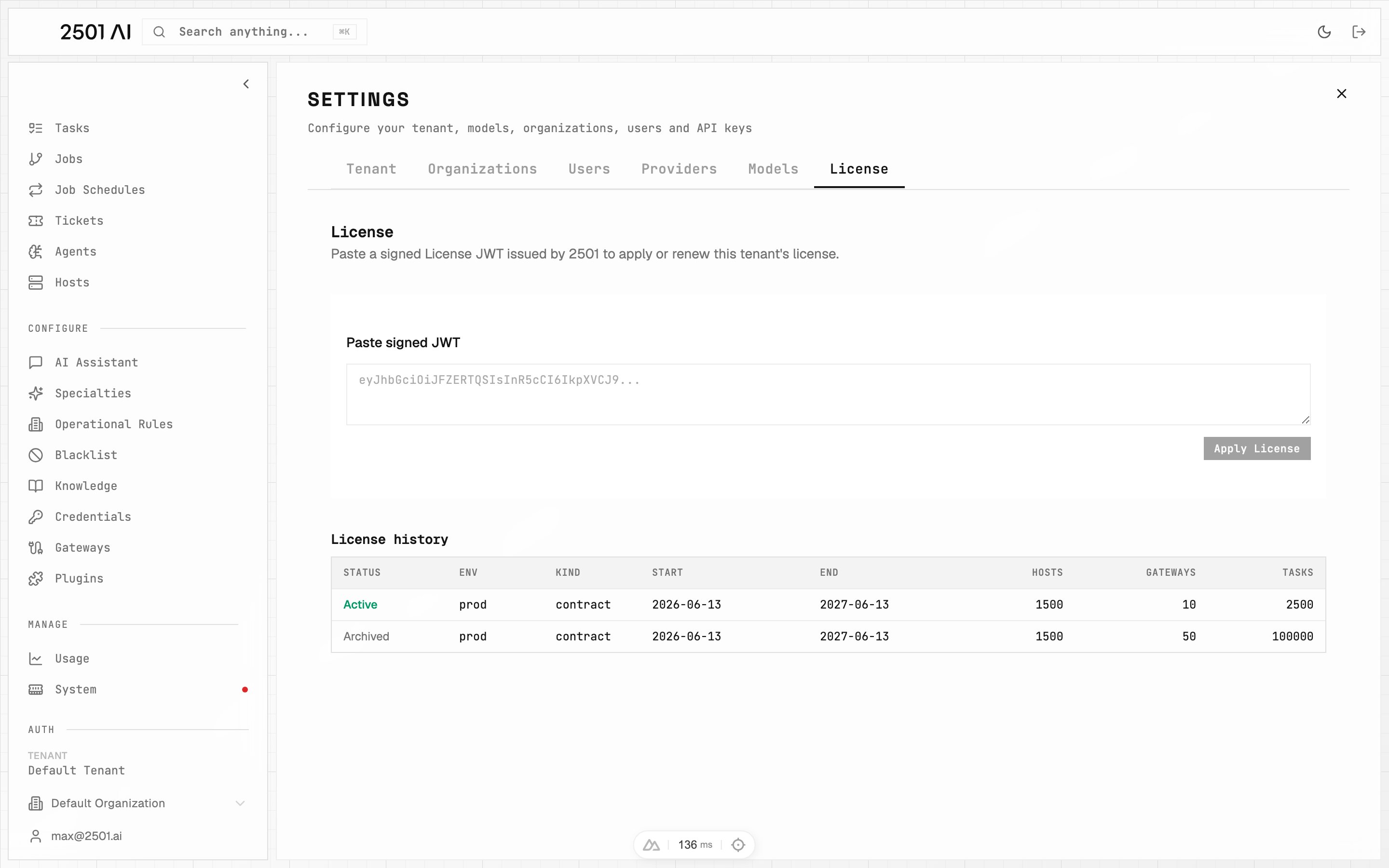
Settings → License: paste the signed JWT, then review the history of previously applied licenses below.
How the task cap is enforced
The tasks cap is a tenant-wide lifetime count of every task ever created (ad-hoc and recurring combined). It is not reset per month, and it is enforced everywhere tasks are created: in Command Center (UI and API) and when the engine turns incoming gateway tickets into work. Once the lifetime task cap is reached (on a license, or on the free tier), task creation is rejected until a license is applied or its cap is raised. An expired license also blocks task creation. See Tasks for how this surfaces during normal use.The Usage page
The Usage page (administrators only) is where you watch consumption and dig into LLM activity.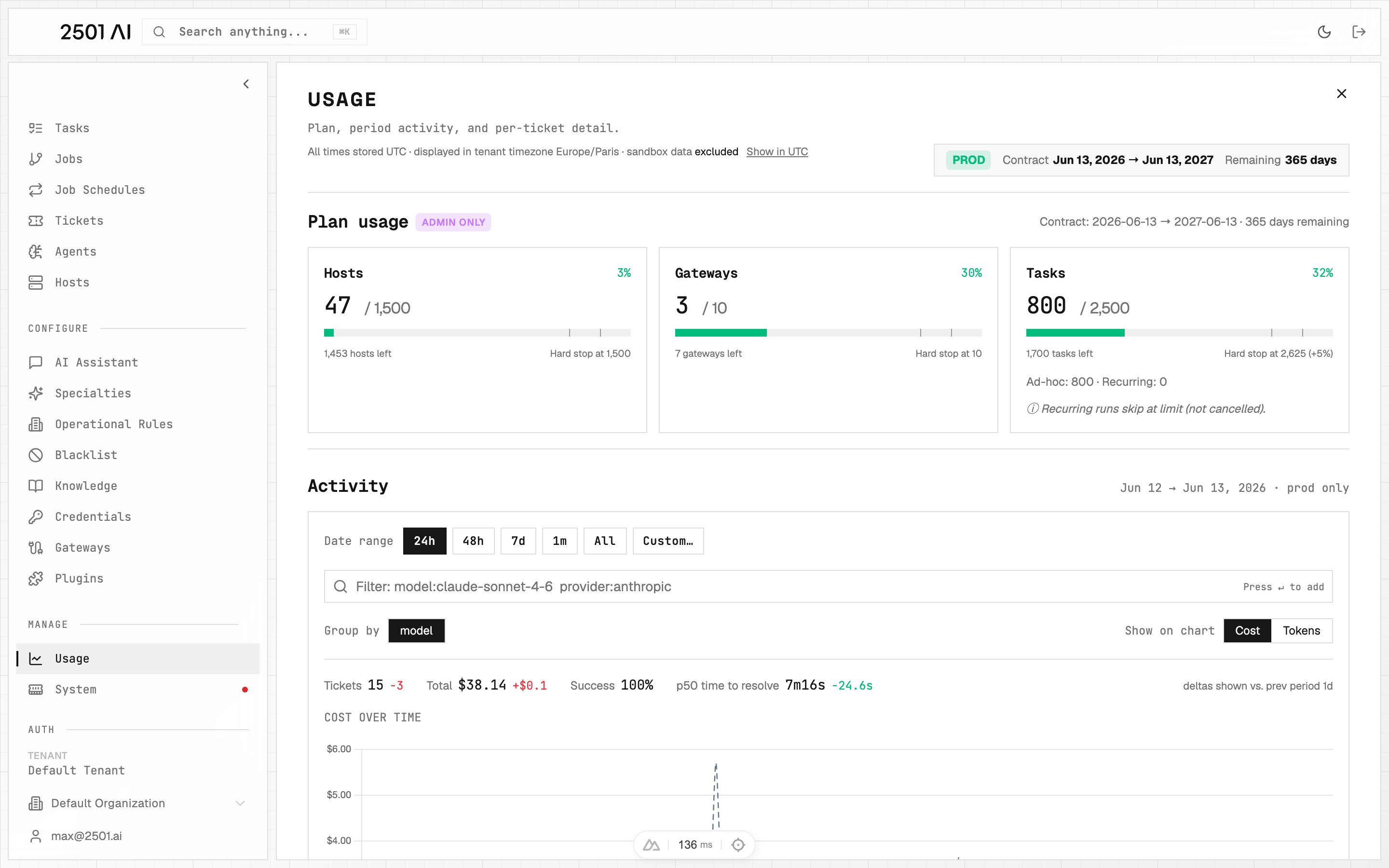
The Usage page: plan-usage bars at top, followed by Activity over the selected date range.
Plan usage
The Plan-usage card shows a used-vs-cap bar for each entitlement (hosts, gateways, and tasks), plus the contract start and end dates and days remaining.Usage banner
A tenant-wide banner appears across Command Center when hosts or tasks usage reaches 90% or more of its cap. The banner links straight to the Usage page.Activity and LLM usage
The Usage page Activity section explores LLM usage over a date range, with a toggle between Cost and Tokens.- Tokens mode counts all token usage in the range: input, output, and cached tokens.
- Cost mode stays anchored to tickets and pricing plans. Define pricing plans on your models so Cost mode can attribute spend.