

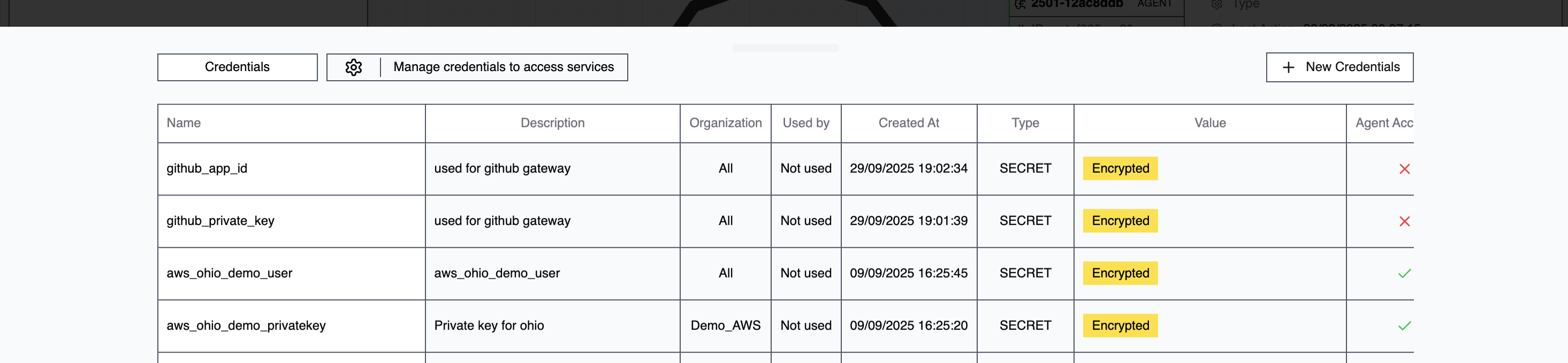
Managing Credentials
Go to Command Center → Credentials and click New Credentials to create an entry.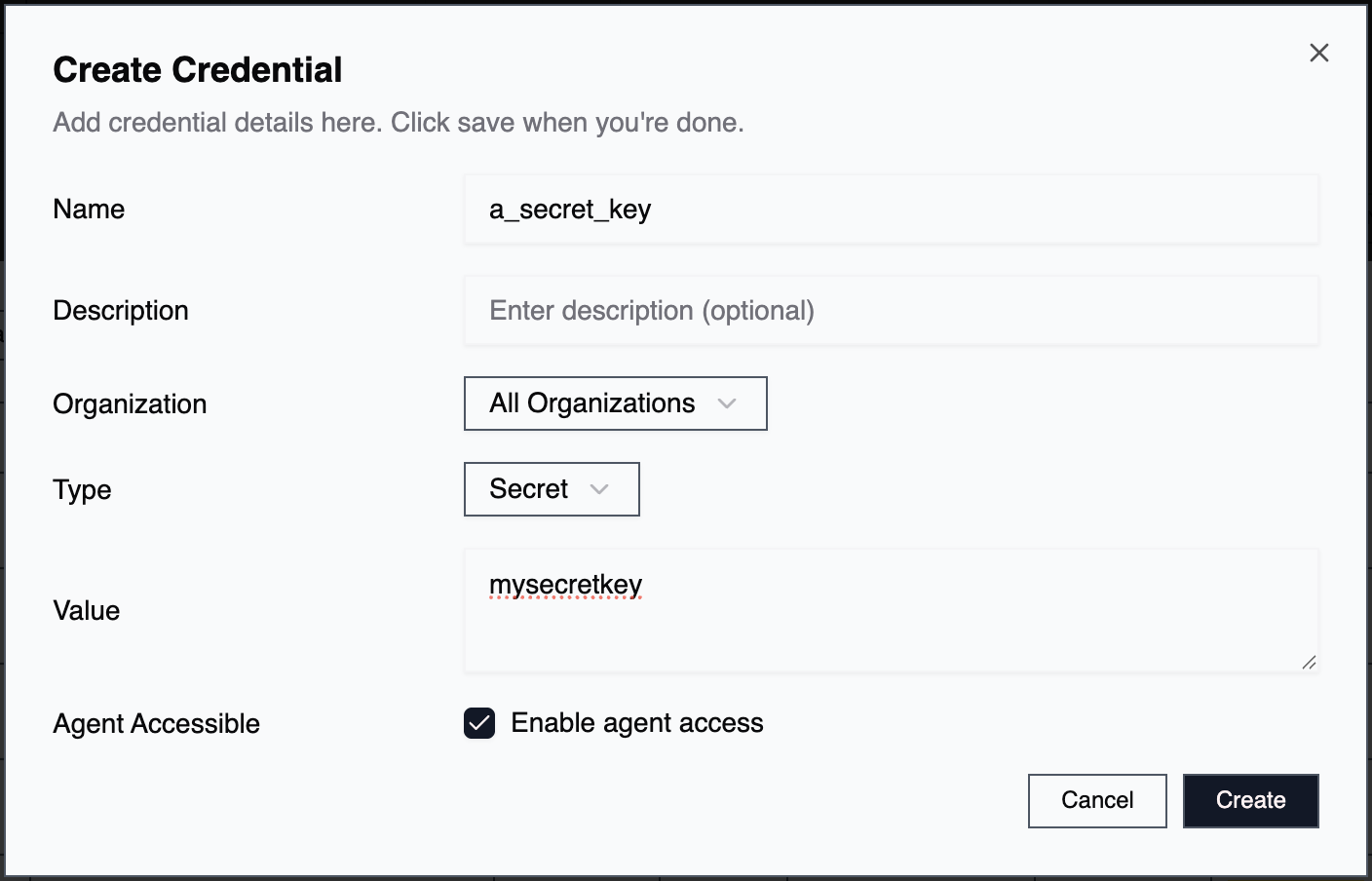
Name
A descriptive identifier for the credential. Use naming conventions that show its purpose and target system. Example:prod_db_ssh_root or aws_prod_api_key
Description
Additional context about what this credential is for. Example:Root SSH credentials for production Ubuntu database server
Organization
By default, credentials are available to all organizations. Select a specific organization to restrict access to only that org’s agents.Type
- Value: Store the credential directly in 2501’s encrypted storage
- Vault Path: Reference a secret stored in an external vault like HashiCorp Vault
Value
The actual credential data or vault path reference. All values are encrypted and only decrypted when needed. ⚠️ Important: Escape special characters properly to prevent authentication errors.Agent Accessible
Controls whether agents can use this credential during tasks. Enable for:- SSH configurations for remote execution
- API keys for CLI tools
- Database credentials for queries
- Any credential the agent needs to pass to commands
- Service credentials used only by 2501 infrastructure
- MCP server authentication tokens
- Backend service bearer tokens
Assigning Credentials to Agents
When creating or editing an agent, find the credentials section to assign what’s needed.
- Role: How the credential will be used (see below)
- Priority: Order of precedence when multiple credentials of the same type exist
- Required: Whether the agent can work without it
Credential Roles
Roles define how agents use credentials during execution.Authentication
For service and API authentication:- Username: Login identifier
- Password: Authentication password
- API Key: Service API key
- Secret: Generic secret value
- Token: Bearer tokens, access tokens, session tokens
Remote Access
For SSH and remote connections:- SSH Username: Remote system login name
- SSH Password: Password-based SSH authentication
- SSH Private Key: Private key for key-based authentication
- SSH Public Key: Public key (rarely needed)
Machine Configuration
For network and service connectivity:- Host: IP address or hostname
- Hostname: Fully qualified domain name
- Port: Service port number
- Certificate: SSL/TLS certificates
- Private Key: Machine or service private keys
- Public Key: Machine or service public keys
Common Use Cases
SSH Remote ExecutionRoles: SSH Username, SSH Private Key, Host
Agent Accessible: Yes
Required: Yes API Service Integration
Roles: API Key, Host
Agent Accessible: Yes
Required: No (can fall back to anonymous) Database Access
Roles: Username, Password, Host, Port
Agent Accessible: Yes
Required: Yes MCP Server Authentication
Role: Token
Agent Accessible: No
Required: Yes
Credential Priority
When multiple credentials with the same role are assigned to an agent, priority determines which gets tried first. Lower numbers = higher priority. Useful for:- Failover scenarios (try primary, fall back to secondary)
- Multi-environment access (different credentials for different systems)
- Credential rotation (keep old credentials briefly while transitioning)