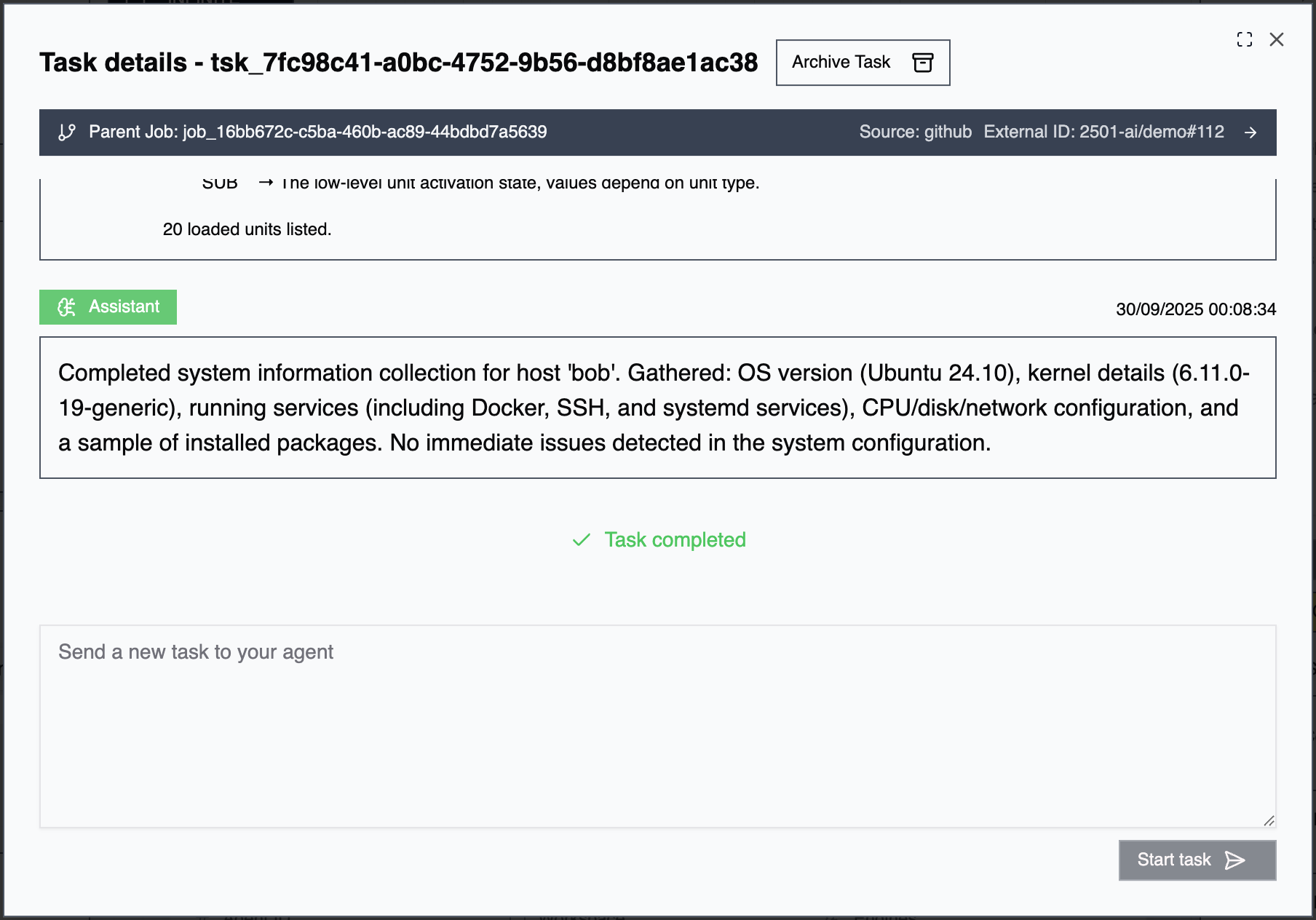
What is a Task?
A task is a discrete assignment given to an agent, ranging from simple operations (“check disk space on prod-web-01”) to complex multi-step workflows (“deploy the latest application version and verify health checks”). Tasks represent the primary interface for directing agent behavior.Creating Tasks
Command Center UI: Open the agent, create a new task in the task box, and watch execution stream in real time. Gateways: If gateways are enabled, tasks and jobs are created automatically from ServiceNow (the default gateway) or any custom-built gateway integrated for your tenant. Gateway-created tasks may be assigned directly to a specific agent or routed as jobs for multi-agent coordination. Interact with gateway jobs by commenting @2501 in the ticket — see Working with Active Jobs.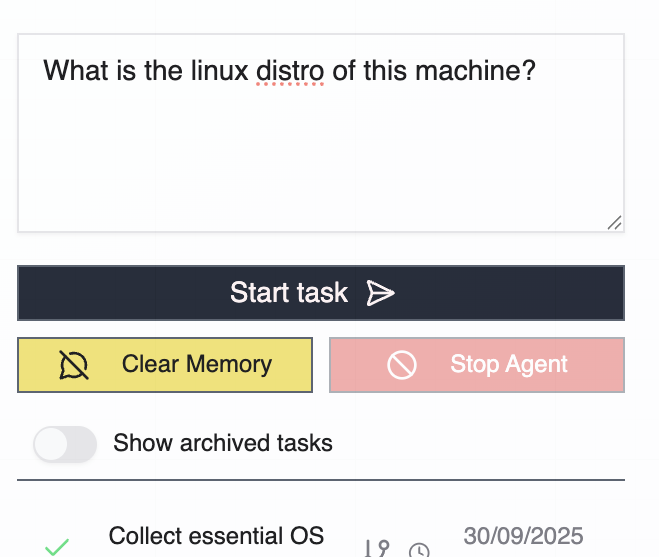
Task Lifecycle
User Assigned: The task has been created and is awaiting agent pickup. With manual trigger, the task waits for explicit CLI execution. With automatic pickup, the agent continuously listens and processes tasks as they arrive. Planning Phase: The agent’s secondary engine analyzes the task, breaks down requirements into actionable steps, gathers necessary context from the target system, identifies required credentials and tools, and exposes the execution plan for review. This phase provides visibility into the agent’s intended approach before commands are executed. In Progress: The agent actively executes the task by running commands on target hosts, reading and modifying files, interacting with services and APIs, adapting based on outputs and errors, and logging all actions and decisions. Completion States: Completed: Task finished successfully. Objective achieved, all planned steps executed, results validated, and context retained for follow-up tasks. Failed: Task could not be completed due to errors during execution, operational constraints violations, unavailable resources, or agent escalation for human intervention.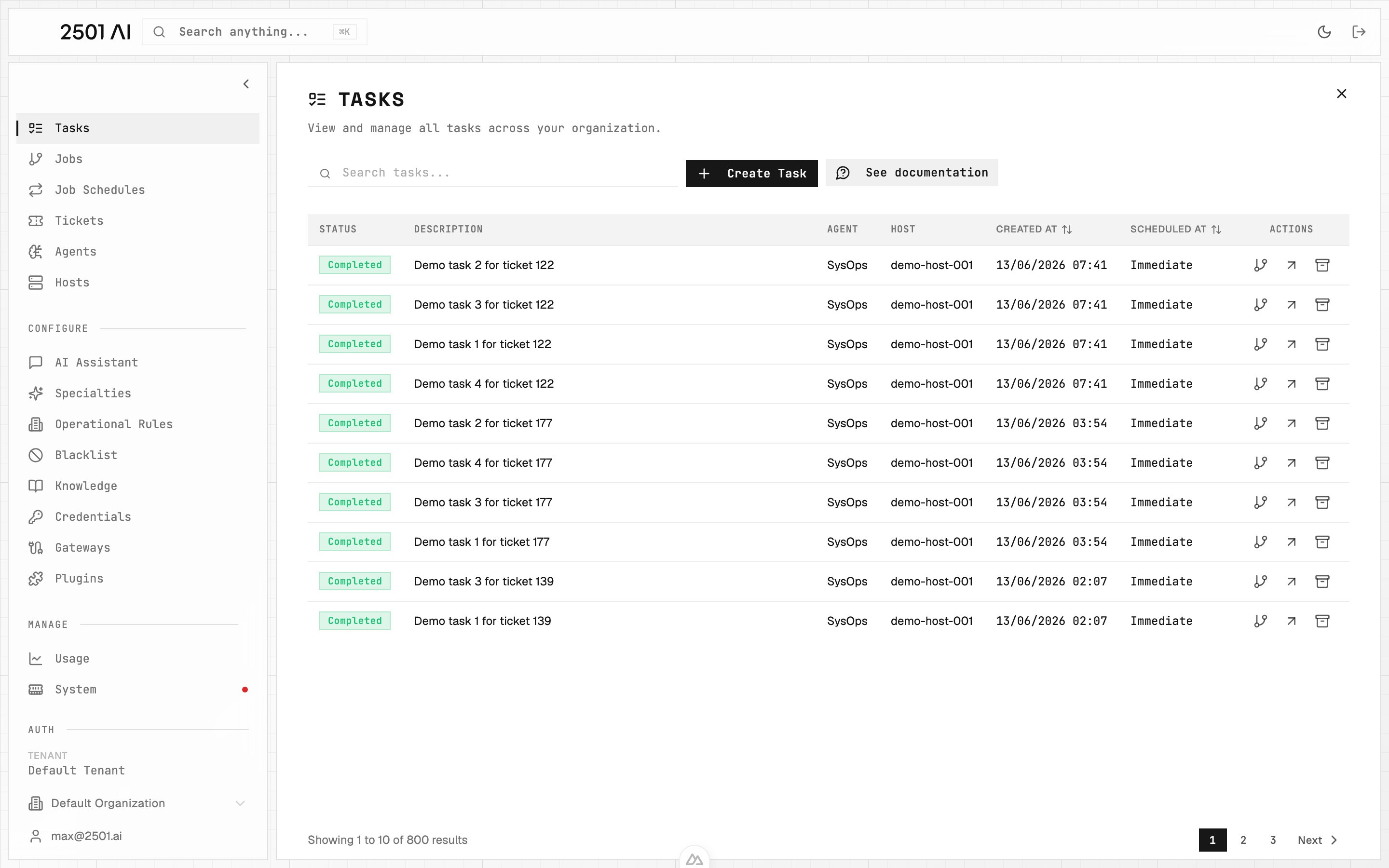
Tasks list: every task across the organization with status, target agent, host, and creation time.
Task Queuing
Tasks targeting the same host run one at a time. If multiple tasks are submitted to agents on the same host, additional tasks queue automatically and start when the current one finishes. This prevents conflicts from concurrent changes on the same system.Task Limits
Your tenant’s license sets a tenant-wide cap on the total number of tasks (ad-hoc and recurring, lifetime). Without a license, a built-in free-tier cap applies instead. Task creation is blocked when the cap is reached or when the license has expired. See Licensing & Usage to view your caps and current usage.Task Summaries
When a task reaches a terminal state (completed or failed), 2501 generates a summary using the secondary engine. Summaries are concise (under 300 words) and include the task description, actions taken, results, and any resources manipulated or verified. Summaries include verbatim command output when the output is the meaningful result (e.g.,ps aux, df -h, kubectl get pods), preserving exact formatting rather than paraphrasing. For gateway-created tasks, the summary is posted as a comment on the originating ticket, visible to all users.
Command Timeouts
Commands that take too long are handled gracefully. The agent receives a clean timeout message and retries with an adjusted approach rather than failing the entire task immediately.Task Monitoring
Tasks are monitored from Command Center. The task detail page streams agent messages, commands, and output in real time as the agent writes them — no need to refresh, and no need to wait for a status change to see what’s happening. The same page shows the execution timeline, command outputs, errors, and the agent’s reasoning trail.