

A Provider is an LLM endpoint the engine talks to. One provider can expose many Models. Providers are managed in Command Center → Settings → Providers, scoped to your tenant.
Viewing the catalog is open to any tenant user; only tenant-level users can add, edit, or delete providers. See Users & Organizations.
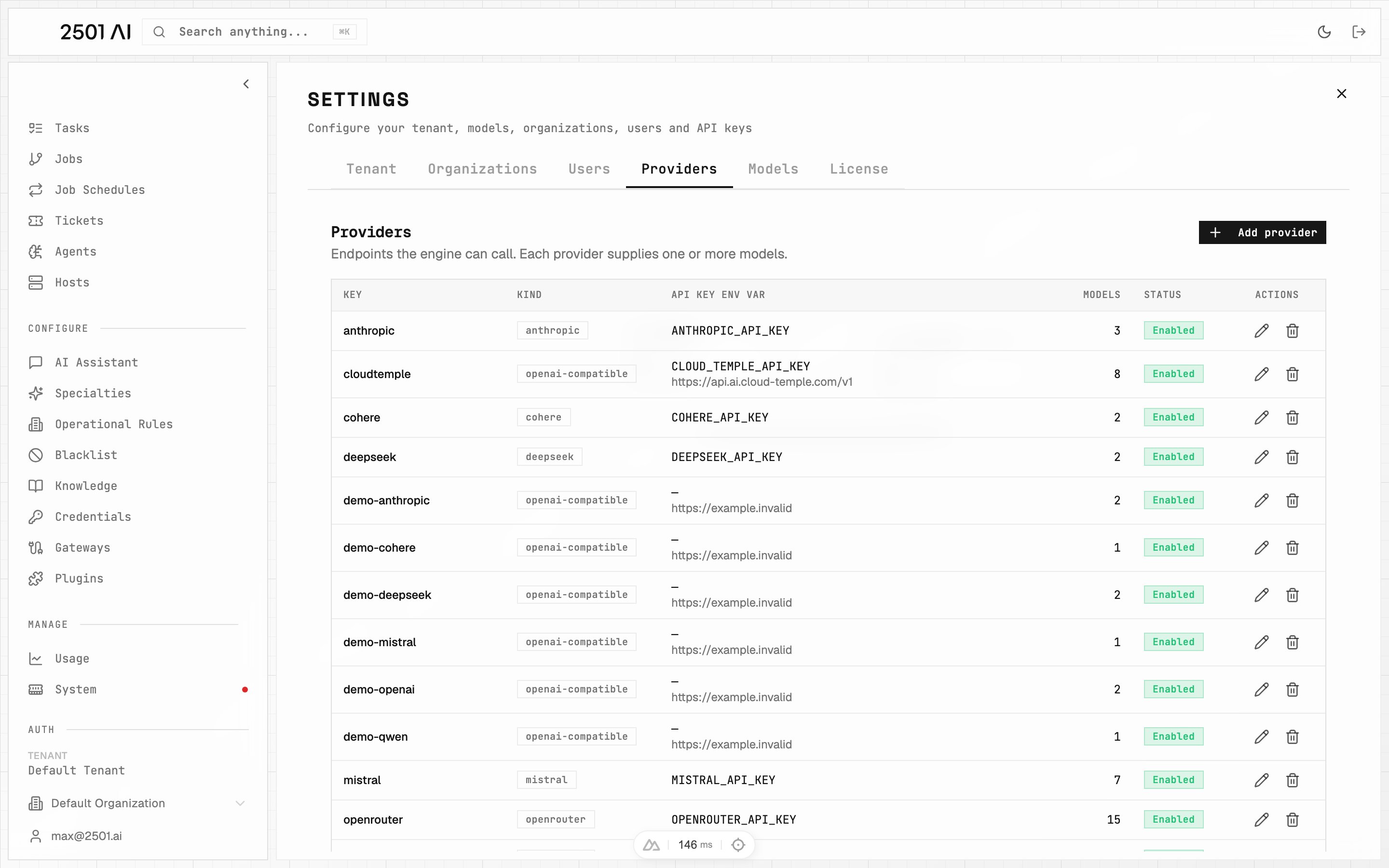
Providers catalog

Fields

FieldRequiredDescription
KeyYesShort identifier, unique within your tenant. Example: openai, cloudtemple
Provider typeYesIntegration used to reach the provider — see Provider types
Base URLCompatible & Azure typesEndpoint root. Required for compatible/Azure types; leave empty for native types
API Key Var NameWhen auth is requiredName 2501 resolves to find the secret — see API key resolution
Auth Header NameCompatible types (optional)Override the HTTP header used to send the API key. Defaults to each type’s native header — Authorization (Bearer) for openai-compatible, x-api-key for anthropic-compatible. Set to e.g. api-key for Azure API Management or other proxy gateways that require a non-standard header.
OrganizationNoScope this provider to a specific organization. When set, only agents in that organization use this provider and its credentials. Leave unset to make the provider available tenant-wide.
Requires authOn by default. Turn off for endpoints with no key (e.g. self-hosted on a private network)
EnabledDisabling makes all of its models unavailable without deleting anything

Provider types

FamilyTypesNotes
Nativeopenai, anthropic, mistral, deepseek, cohere, openrouter, togetheraiBuilt-in integrations. No endpoint URL needed.
Compatibleopenai-compatible, anthropic-compatible, azurePoint at any API-compatible endpoint via a Base URL
Use a compatible type to register a self-hosted model server (vLLM, Ollama, LM Studio) or any vendor exposing an OpenAI- or Anthropic-style API.
Adding a new endpoint of an existing type is pure configuration. Adding a brand-new type (a vendor with its own API shape) requires a 2501 release — contact your Account Executive.

API key resolution

The API key is resolved at runtime in two steps:
  1. 2501 looks for a Credential matching the API Key Var Name — for an org-scoped provider, one scoped to that organization first, then a tenant-wide one; for a tenant-wide provider, only a tenant-wide credential.
  2. If none exists, it falls back to an environment variable of the same name on the engine.
This lets you rotate keys in the UI without touching the engine environment. When you save the provider, the dialog checks that the key resolves and warns if it cannot be found.
For a tenant-wide provider (no Organization set), the matching Credential must be tenant-scoped — a credential restricted to a specific organization will not be found. For an org-scoped provider, the credential may be scoped to that organization or tenant-wide.
Providers that do not need a key (e.g. a self-hosted model on a private network) can turn off Requires auth.

Azure settings

For the azure type, two extra fields appear:
FieldDefaultDescription
API Version2025-04-01-previewThe Azure OpenAI API version to target
API ModechatWhich API surface to call: chat, responses, or completion
Azure API Management (APIM) gateways are supported as the endpoint: set the Base URL to your APIM gateway URL to route model traffic through it for centralized policy, rate limiting, and logging.

Deletion rule

A provider that still has models cannot be deleted. Remove or reassign its models first, or simply disable the provider instead.

Deploy-time seeding

On deploy, the installer seeds providers from API keys detected in the engine environment. After that, management moves to Command Center — no engine restart needed for additions or edits.