Skip to main contentGateways are here to route tickets to appropriate AI Agent from various ticketing systems such as RTMS, Servicenow, and Github. It is the best way to create jobs in an automated way from external services.
 When a ticket is created in your ticketing system, 2501 parses and handles it through the jobs system. Gateways can parse tickets in two ways:
- Automatic: tickets are parsed as soon as they’re created in the ticketing system
- Semi-Automatic: tickets are parsed only when @2501 is mentioned
After the gateway parses your ticket and any attachments, it determines how many tasks are required to resolve the issue.
For each task, it identifies the best agents based on:
- Host information in the ticket (e.g., “target_machine: UNIX_PROD_442”)
- Nature of the incident (e.g., “A service has timed out”)
- Available agents with explicit specialties (e.g., “AWS Manager”)
- Other ticket details that indicate where/how the incident should be resolved
Once all tasks are mapped to agents, a job is created containing these tasks.
The gateway may schedule tasks for execution at a specific date and time based on information found in the ticket.
Managing Gateways
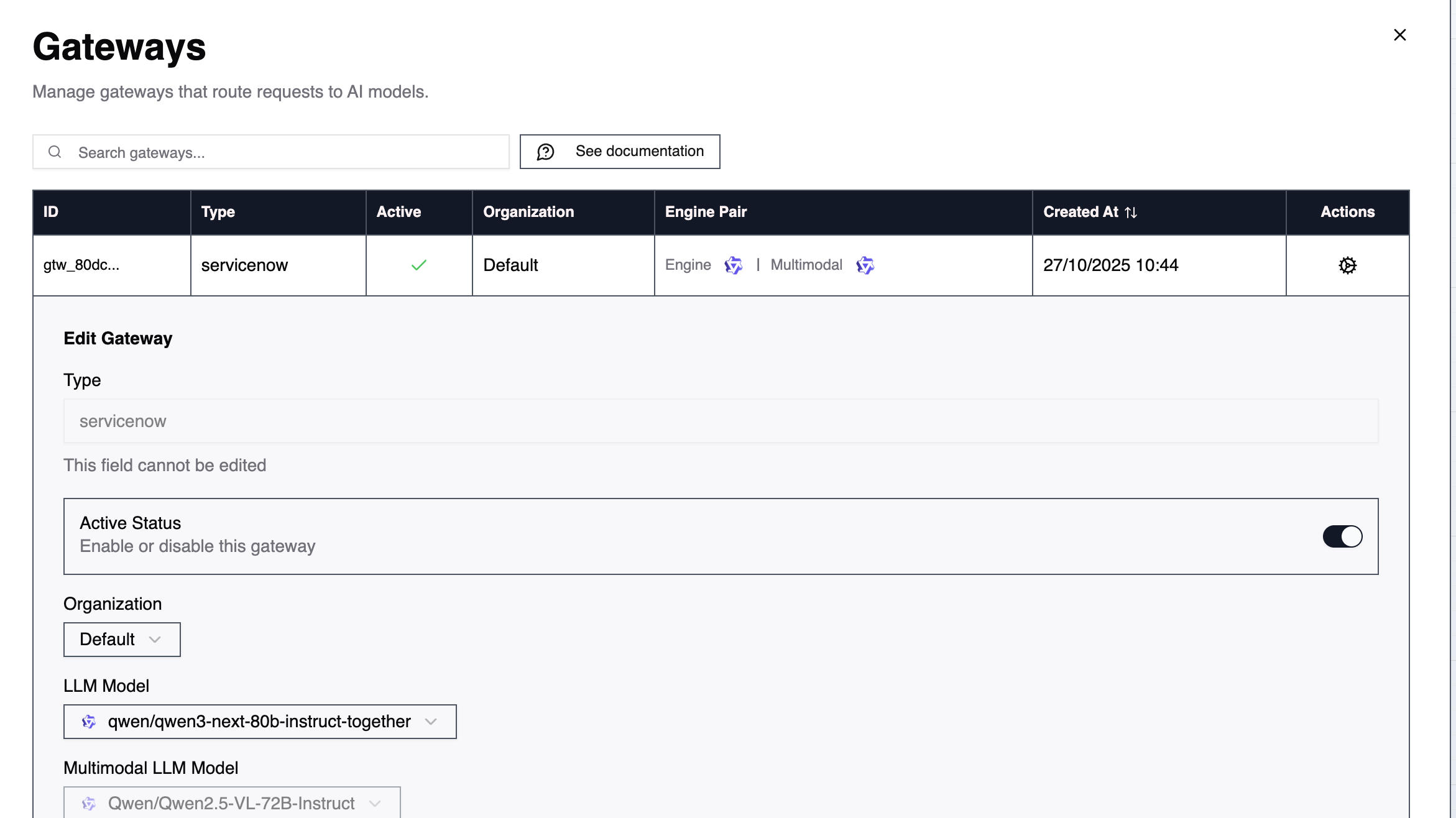
Go to Accounts → Gateways and click the cog icon of the gateway you want to manage.
Type
Indicates what type of gateway it is, usually a service where IT Tickets are created.
Example: rtms or servicenow
Active Status
To turn on or off the gateway. Useful if you want to temporarely prevent agents from automatically picking up tickets or create jobs when 2501 is mentioned in the ticket.
LLM Models
You will find two options:
- LLM Model: representing the LLM in charge of understanding the ticket and routing tasks to the appropriate agent(s)
- Multimodal LLM Model: the agent that will parse the attachments of your tickets
You can allow a smaller weight here as gateways agents require less compute that actual agents to perform tasks.
A model between 70b and 300b will perform well-enough for most routing tasks.
Routing Prompt
This prompt specifies how to route tickets to the appropriate agent.
It extends the gateway’s system prompt to allow routing of specific ticket types that require special handling or particular agents.
Best practice: include something like If there is no exact agent for the specified task on the current host - take the closest. But ensure exact matching for hosts. This emphasizes using the ticket’s information to identify the correct agent while providing a fallback when an exact match isn’t available. 
