

Managing users

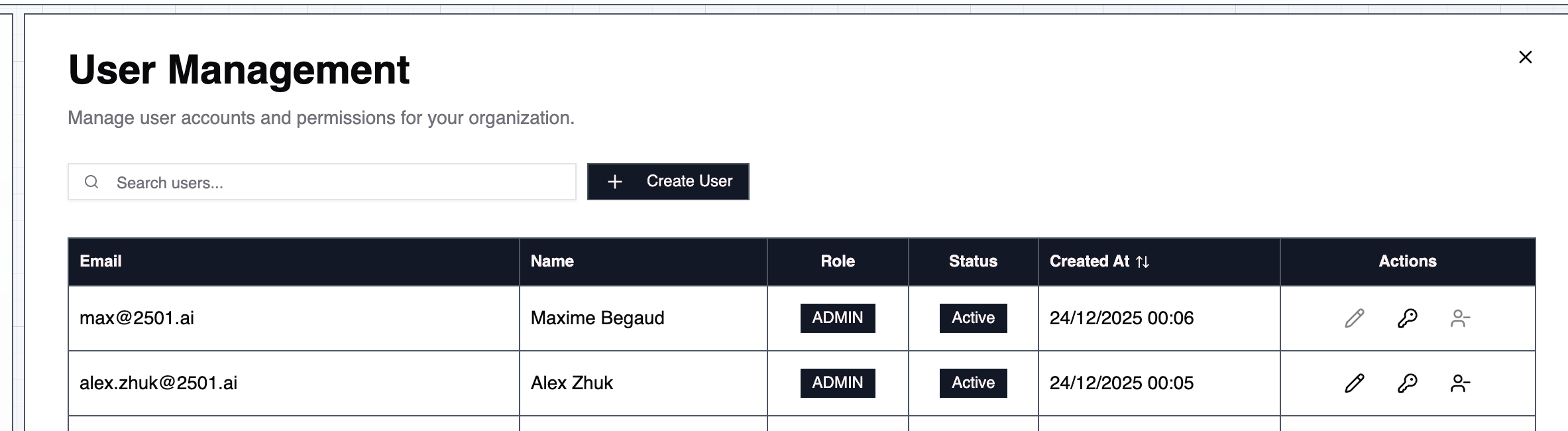
In your Command Center, Administrator users will be able to see a “Users” page on the sidebar. From this page, you are able to create, update, or modify users able to access your 2501 interface. Users
Roles

2501 currently supports two roles: Administrator and User. In the coming weeks, a fully support control over ACLs will be released to improve granularity over permissions given to earch users in order to manage your installation of 2501.

Adminitrator User

The administrator user has access to all pages of the Command Center and can modify every resources 2501 manages. Administrators can create new users with the button “Create User” and assign it the role of either administrator or user. To revoke the access of a user to Command Center, you can simply revoke the user from the table, which will soft delete its account. You may also want to reset a user’s password (including adminitrators), by clicking the “Reset Password” button. Note on passwords: it must contain at least 8 characters, letters and numbers, as well as at least 1 uppercase and lowercase character.

Regular User

Regular users do not have access to the “Users” page. In the coming weeks, fully supported ACL will be released and enable granularity over permissions for each user.