

What is a Host?
A host is a registered target system that agents can operate on. Hosts provide network addressing through IP addresses, connection methods via SSH or WinRM protocols, organizational context for grouping and management, and discovery metadata for filtering and targeting.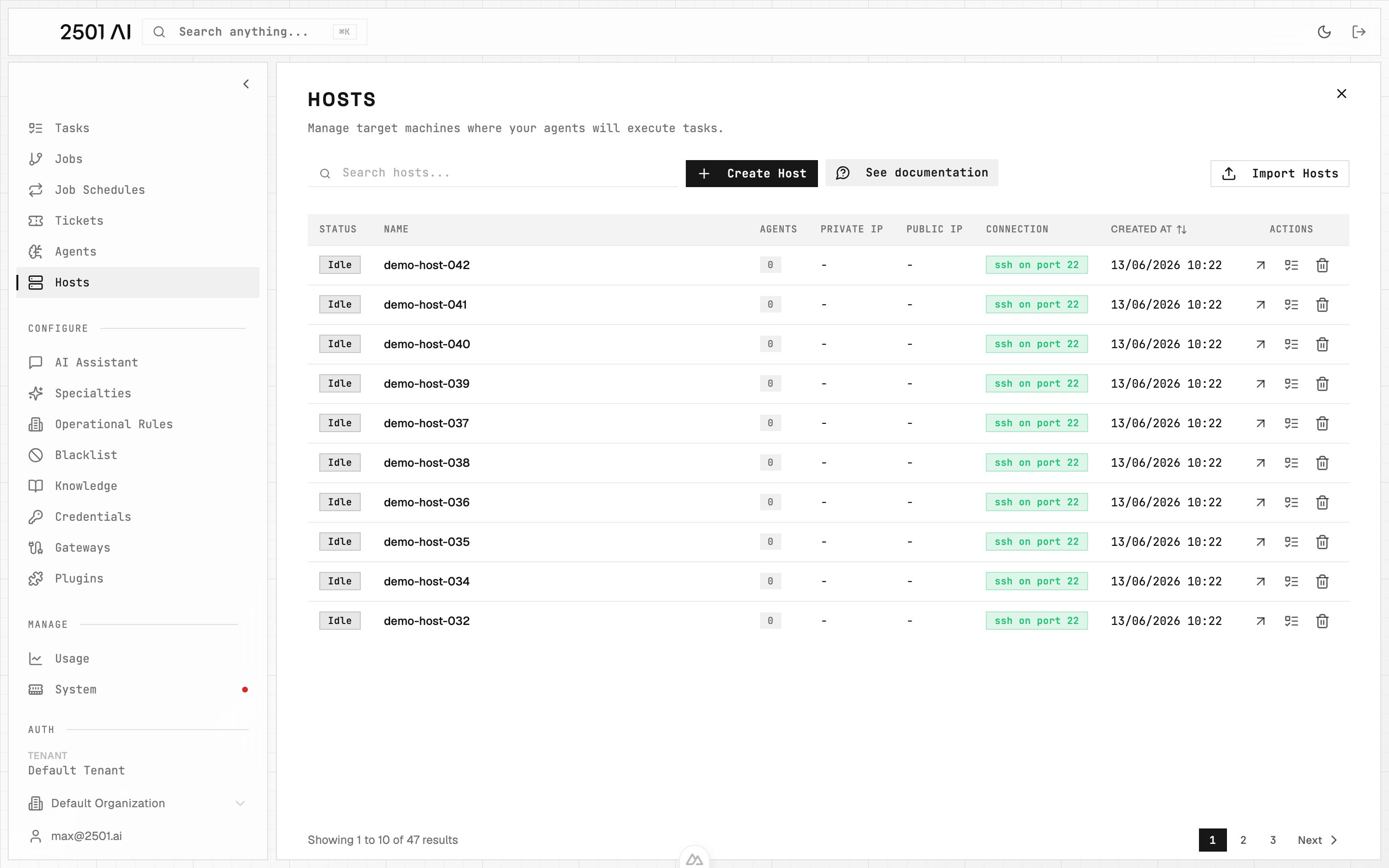
Hosts list: every machine your agents can act on, with idle/busy status, agent count, IPs, and connection protocol.
Host Configuration
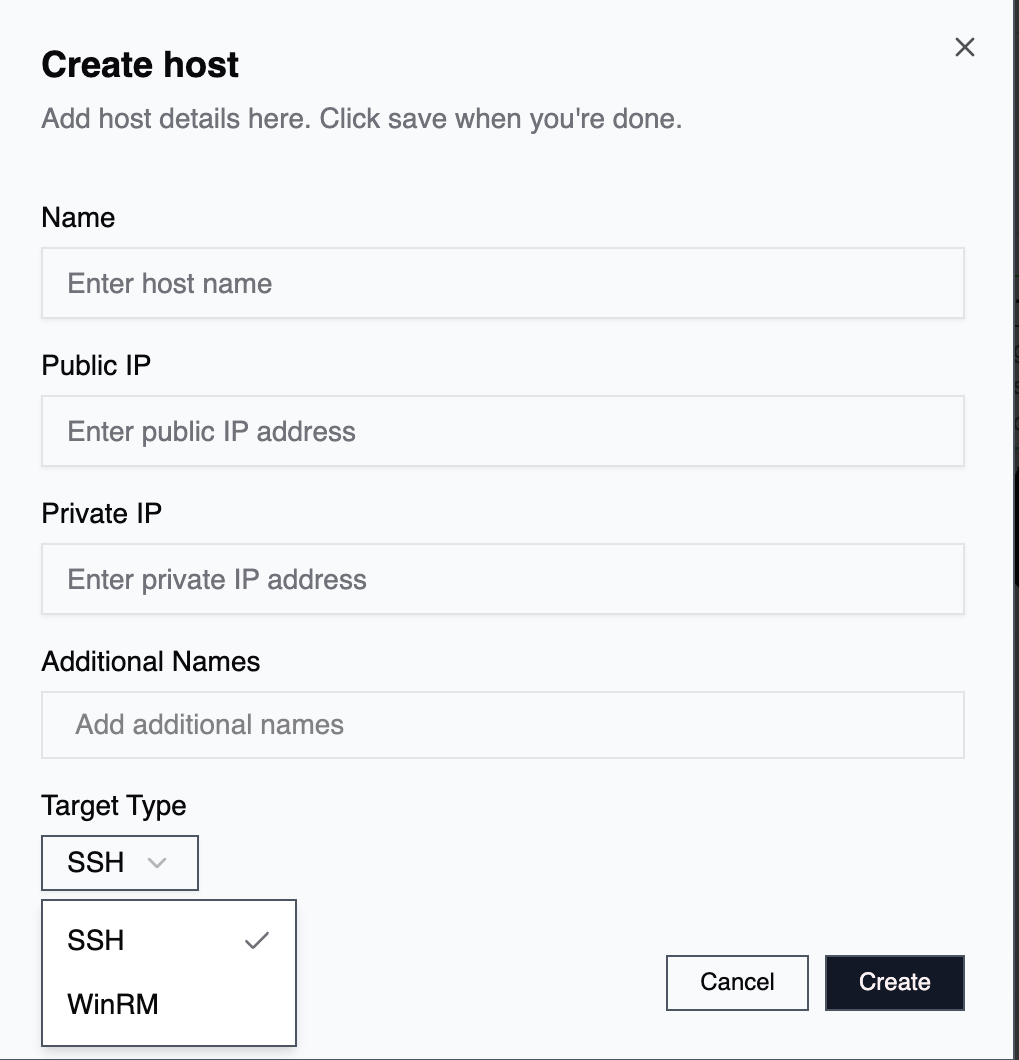
Create / edit host form: protocol, ports, IPs, and the additional names used to recognize this host.
Network Addressing
Each host requires at least one IP address: Public IP: The externally accessible IP address. Used when the agent reaches cloud instances, accesses systems across different networks, or operates on internet-facing infrastructure. Private IP: The internal network IP address. Used when operating within the same network or VPC, accessing systems behind firewalls or NAT, or connecting through VPN or private network tunnels. At least one IP address is mandatory. Providing both creates a fallback strategy if one isn’t valid when an agent attempts to execute a task.Connection Protocols
SSH (Linux/Unix): Standard protocol for Linux, Unix, and macOS systems. Requires SSH credentials (username plus password or key-based authentication), uses default port 22, and is used for most infrastructure operations. WinRM (Windows): Windows Remote Management protocol for Windows systems. Requires Windows credentials, supports both HTTP and HTTPS connections, and enables PowerShell remote execution. Windows hosts can authenticate with static Windows credentials or with a gMSA over Kerberos (see Credentials).Connection Options
The create and edit forms expose a few transport settings: Port: Each protocol has a sensible default (22 for SSH, 5985 for WinRM). Override it only when your target listens on a non-standard port, for example set 5986 (or 443/8443) when WinRM is served over HTTPS. Skip TLS verification (WinRM over HTTPS): Accepts self-signed certificates on the target. Leave this off for CA-signed targets so the certificate chain is validated. Turn it on only when you knowingly connect to a host presenting a self-signed certificate.Jump host (SSH bastion)
For targets reachable only through a bastion, register the bastion as its own host with Is jump host enabled, then point each target host at it via Jump host. Single-hop only — a jump host itself cannot route through another jump host.
The engine refuses to dial a target whose jump host is missing or no longer flagged
is_jump_host, so the constraint is enforced end-to-end.
Central agents (orchestration hosts)
Some agents don’t operate on a single machine — they operate on many machines from one machine. The typical pattern: a single host withkubectl configured against the cluster, the AWS CLI authenticated to your account, the govc VMware client, or similar fleet-wide tooling. The agent logs into that one machine and drives the others through those CLIs.
Register the orchestration machine as a normal host (SSH usually), attach an agent to it with the relevant specialty (Kubernetes Operator, AWS Central, VMware Operator), and route tickets affecting the fleet to it via the gateway. The agent reaches the actual targets through the tools installed there — you don’t need to register every cluster node, every EC2 instance, or every ESXi VM as a 2501 host.
Common shapes:
- A management host with
kubectl+ a kubeconfig — handles every Kubernetes ticket for the cluster - A CLI bastion with AWS / GCP / Azure CLIs authenticated to the account — handles cloud-resource tickets
- A vSphere control node with
govcor the VMware MCP — handles hypervisor and snapshot tickets
Naming and Identification
Hosts have two separate labeling concepts. Additional Names are free-form aliases. Tags are a structured, closed vocabulary that scopes which operational rules an agent receives. They are described in detail below. Host Name: The primary identifier for the host, typically matching the machine’s hostname or a descriptive name. Examples:prod-web-01, staging-db-primary, dev-workstation
Additional Names: Optional free-form aliases that help you identify or match a host (for example web-01, app-server-01). They are purely for recognition and search. They do not influence which operational rules an agent receives.
Host Tags
Tags are a structured, closed vocabulary you assign to a host. Unlike Additional Names, they are not free text: you pick from a fixed set of axes, and each tag carries a recognizable icon. Tags scope which Operational Rules an agent receives when it works on the host. The host tag picker is organized into axes:
OS and Shell are single-select. Type and Technologies accept multiple values.
Technologies are unversioned. Record specific versions (for example the exact PostgreSQL or Tomcat version) in the host’s Description field instead.
Setting Tags
Tags are assigned from a dedicated axis-based picker in the TAGGING section of a host’s detail page. The quick create and edit dialogs do not include the tag picker, so open the host’s detail page to set or change tags.1
Open the host
In Command Center select the host to open its detail page.
2
Go to the TAGGING section
Find the TAGGING section and use the picker to choose values along each axis.
3
Pick tags per axis
Select one OS and one Shell, then add any Type and Technologies values that apply.
How Tags Scope Operational Rules
Host tags drive operational-rule matching. A rule reaches a host only when the host’s tags satisfy every scope tag the rule carries. Adding more scope tags to a rule narrows where it applies; a rule with no scope tags applies broadly. For example, a rule scoped topostgres reaches only hosts tagged with the postgres technology. A rule scoped to both linux and database reaches only hosts that carry both tags.
Procedure and verb intent (what the agent should do) is matched from the ticket, not from host tags. Procedure tags cannot be set on a host. See Operational Rules for how scoping works end to end.
Host Knowledge
Two parts of a host feed agents context about that machine before they start working. Knowledge: The host detail page has a read-only KNOWLEDGE section. It shows facts automatically extracted from documents you upload, resolved to this host and grouped by source document. These facts are surfaced to agents as context when they work on the host. See Knowledge for how documents are ingested and turned into facts. Description: The free-text Description field is your place for operator notes (installed tools, quirks, where credentials live, exact software versions). Its content is also surfaced to agents as context, so keep it accurate and current.Host Management
Creating and Editing Hosts
- Go to Command Center → Hosts (sidebar)
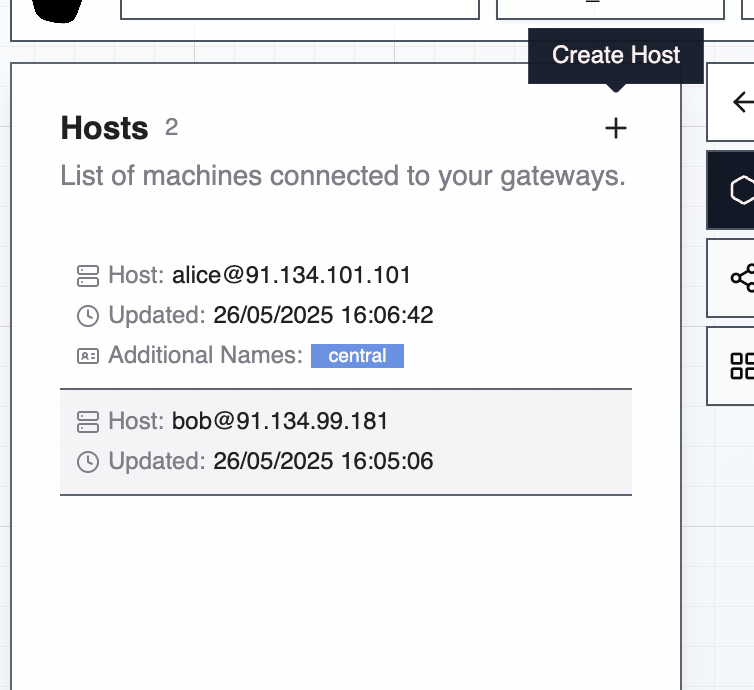
- Click Create Host to open the create form (click an existing host to open its detail page and edit it)
- Configure host name, public and/or private IP, connection protocol, port, and additional names
Subnet Grouping
The Command Center interface organizes hosts by subnet for better visibility and management. Hosts are automatically grouped using the first three octets of their private IP address (e.g.,192.168.1.x).
This enables quick identification of hosts within the same network segment, visual topology understanding, easier management of network-scoped operations, and identification of network configuration issues.